
概述
描述
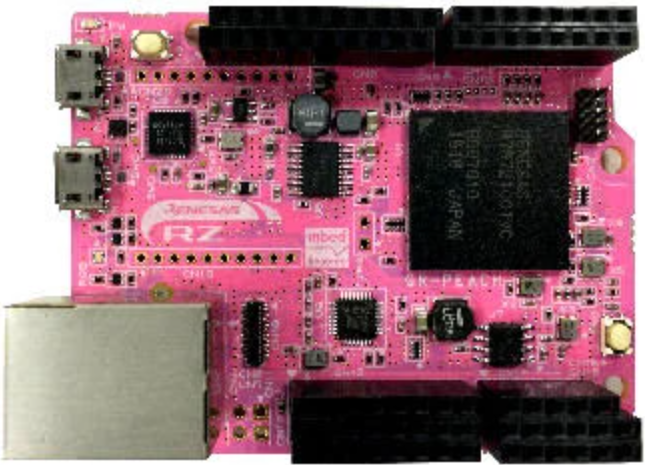
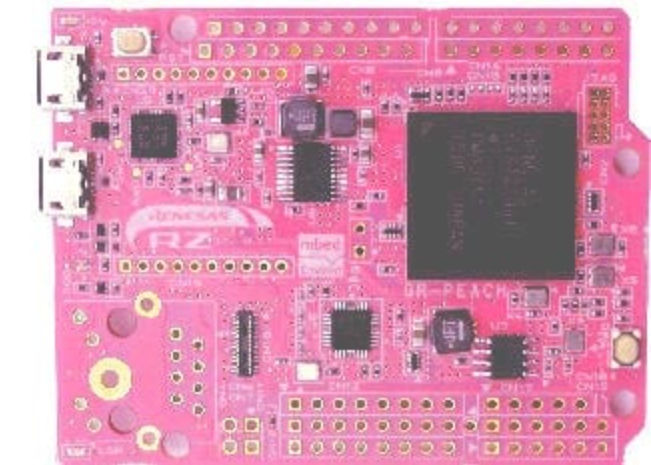
GR-PEACH is the Gadget Renesas board for the Renesas RZ family's RZ/A1H group of microprocessor (MPU) products. Fully pin-compatible with the Arduino UNO, GR-PEACH is an Arm® Mbed™-enabled development platform. GR-PEACH takes advantage of web browser-based program development and a robust library selection. With the added appeal of 10MB of built-in RAM and the processing power of Arm Cortex™-A, GR-PEACH was created for the developer interested in high-speed prototyping of IoT devices with loads of HMI—graphics, touch panel, camera input, audio, network and more.
In addition, GR-PEACH supports multiple platforms, .NET Micro Framework (MF), Arduino, and TOPPERS/ASP (RTOS).
Get Started
- mbed
- .NET Micro Framework
- Arduino
- TOPPERS/SAP
Technical Information
- GR PEACH Getting Started on Mbed - A guide for how to use a newly purchased GR-PEACH/GR-PEACH-FULL board.
- Code Repository on Mbed - Various code to support processing for webcams, graphics, etc.
- TOPPERS/ASP on GR-PEACH - TOPPERS/ASP Kernel with Mbed and Arduino Library for GR-PEACH.
- E-mail: gadget_renesas@lm.renesas.com
Board Distributors
GR-PEACH boards and other shields can be purchased through the following sites:
特性
- Embeds Arm Cortex-A RZ/A1H (R7S721001VCBG) and Arduino UNO pin compatibility supports various shields.
- GR-PEACH board is equipped with a LAN connector (RJ-45) and connectors for Arduino UNO-compatible pins and service pins
- Enables camera and Wi-Fi connection with the GR-PEACH board. Camera specifications are VGA 640 x 480, maximum 60fps, and a horizontal angle view of 98 degrees
- Enables stereo plug, camera module, and USB host connection with GR-PEACH. Note: A camera module is not included. MT9V111 is recommended
- 4.3-inch wide display with touch panel. Note: GR-PEACH-FULL cannot be used for this shield. Refer to the Corestaff vendor's site for the use details
应用
文档
|
|
|
|
|---|---|---|
| 类型 | 文档标题 | 日期 |
| 发行说明 | RZ/A1H Software Package for GR-PEACH
AI 生成的摘要:
The software package provides comprehensive solutions for Human Machine Interface (HMI) development on the RZ/A1H platform, featuring sample applications such as camera input with LCD output, touch panel event detection, USB mass storage access, and a web server demonstrating Ethernet connectivity. It includes source code for easy porting and integration, a touch abstraction layer for flexible driver implementation, and support for various USB and peripheral functions. The package bundles software, documents, and a structured folder system, with references to related manuals and application notes. Known issues include image display problems on the web server sample. Open source components like FreeRTOS, lwIP, FatFs, and Webio are used under their respective licenses.
|
|
| 其他 | HTM 6 KB | |
| 其他 | HTM 5 KB | |
| 其他 | HTM 4 KB | |
| 其他 | HTM 5 KB | |
5 项目
|
||
设计和开发
软件与工具
样例程序
样例程序
筛选
|
||
|---|---|---|
| 类型 | 文档标题 | 日期 日期 |
| 示例代码 | RZ/A1H Software Package for GR-PEACH
[Software=RZ FreeRTOS Software Package|v1.40],[Toolchains=GNU Arm Embedded|V12.2.Rel1]
ZIP
45.44 MB
应用:
工业, 消费电子产品
Compiler:
GNU ARM Embedded
Function:
Application Example, BSP, HMI, I/O or Pin, Memory, OS, Other peripherals, Software Package, Timer
IDE:
e2 studio
|
|
| 示例代码 | ZIP 8.32 MB | |
| 示例代码 | JS 8 KB | |
3 项目
|
||
Resources
Schematic/Design
- GR-PEACH Schematics
- BOM List
- Layout
Sketch Reference
- GR-PEACH Sketch Reference
How to Program
- Mbed site
- Sketch with Arduino Style
- Multi-task Programming with TOPPERS/ASP
- RZ/A1H FreeRTOSTM Software Package
Project File for e2 studio
Project file for sketching in Eclipse-based development environment e2 studio. For downloading and installing e2 studio, please refer to the e2 studio product page.
You can import as an archive file (zip) as an existing workspace from the e2 studio menu "File" -> "Import".
Do the menu "Project" -> "Update all dependencies" at the initial build. Only sources changed since the next build will be compiled.
- Project with OpenCV
GR-PEACH Sketch OpenCV v20602 Project File (ZIP) (Arduino style, OpenCV included)
GR-PEACH Mbed Style OpenCV v20602 Project File (ZIP) (Mbed style, OpenCV included) - OpenCV project for library generation
OpenCV Neon 02 Project File (ZIP)
DisplayApp
DisplayApp is an application that displays the camera image sent by USB CDC.
- For Windows
DisplayApp File (Windows) (ZIP)
Installing the USB driver is required on versions earlier than Windows 10.
- For Mac
DisplayApp File (Mac) (ZIP)
Below is an Arduino-like sketch example.
            #include <Arduino.h>
            #include <Camera.h>
            #include "DisplayApp.h"
            Camera camera;
            static DisplayApp display_app;
            void setup() {
                camera.begin();
            }

            void loop() {
                display_app.SendJpeg(camera.getJpegAdr(), (int)camera.createJpeg());
                delay(10);
            }
            }


