
概述
视频和培训
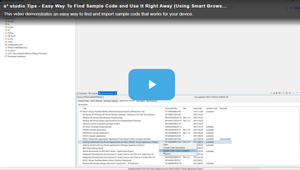
When you need MCU/MPU technical information, you can quickly find it on e² studio without surfing the web. This video demonstrates how to easily access MCU/MPU technical information using the Smart Browser.
Additional Details
Product Lineup
The product has five features for more efficient development.
| Smart Utility | IDE |
|---|---|
| Smart Configurator | CS+/e² studio |
| Smart Manual | CS+/e² studio |
| Smart Browser | CS+/e² studio |
| Assistant for Optimization | e² studio |
| Open-source Plugins | CS+ (partially)/e² studio |
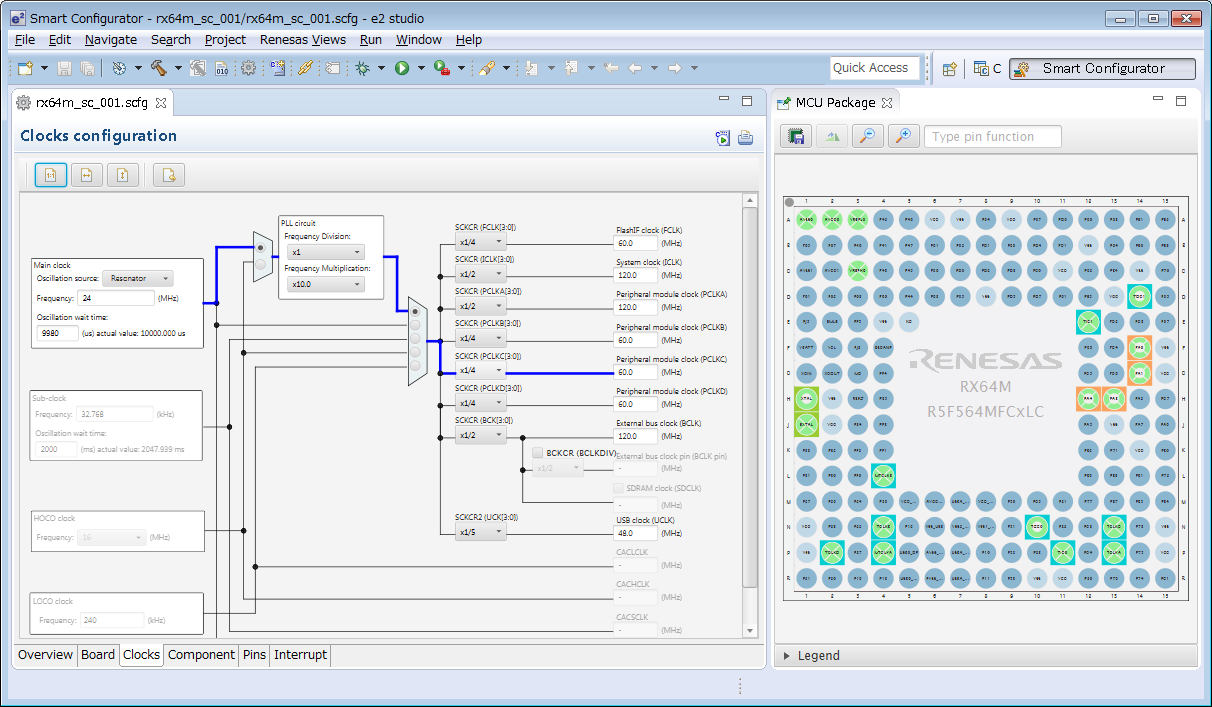
Smart Configurator
The Smart Configurator is a utility for combining software as you wish. It supports the following three functions related to the embedding of Renesas drivers in your systems.
- Importing middleware in the form of FIT (Firmware Integration Technology) modules
- Generating driver code
- Setting pins
Smart Manual
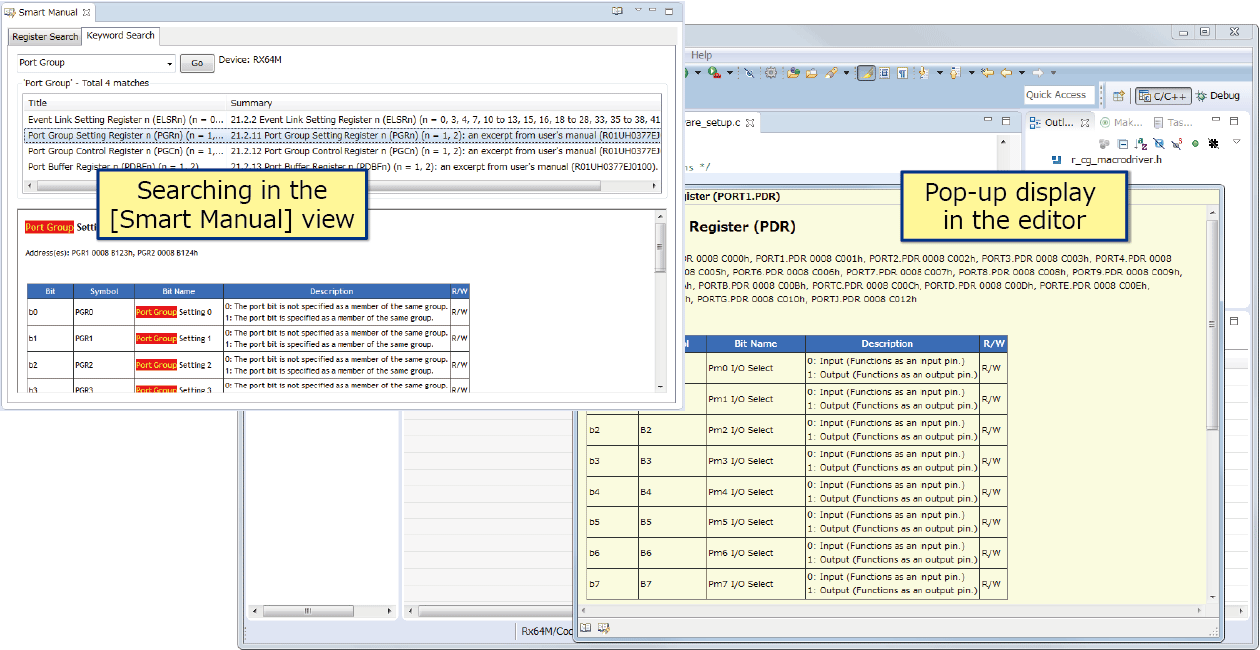
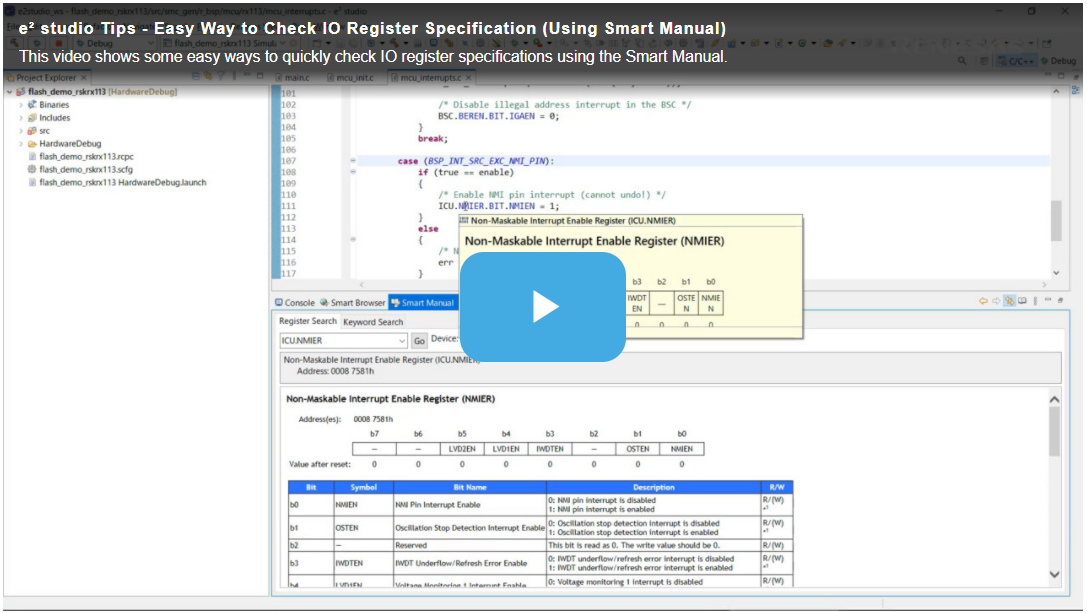
Smart Manual makes it easy to find a hardware manual or information on the registers of a Renesas device (Note1).
The [Smart Manual] view is for browsing through hardware manuals and searching for occurrences of the names of registers (Note2) or keywords (Note3) in the manual.
The smart manual features also include popping up a description of the specifications in response to placing the mouse cursor over a register name or API function name (Note4) while editing.
Notes
- Some devices are not supported.
- Information on the registers and bits of peripheral I/O is searchable.
- Topical key words are used in searching for manuals.
- Output functions by a code generator (for RX, RL78, and RZ devices), FIT modules (for RX devices), and service calls to Renesas real-time OS (RI600V4).
Smart Browser
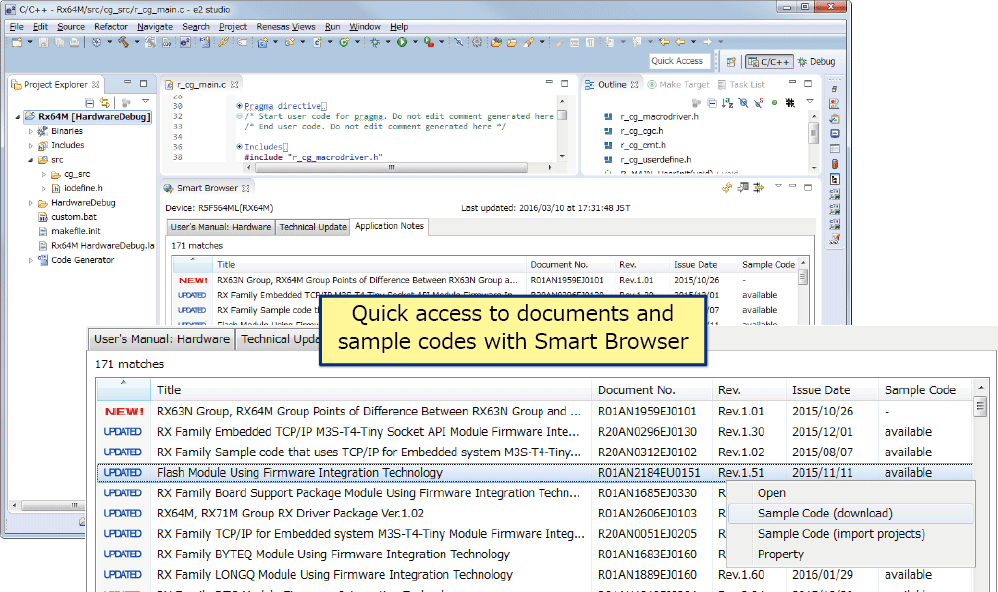
With the Smart Browser, you can easily find and display the latest Renesas hardware manuals, technical updates, and application notes from within the e² studio or CS+. It is also able to download sample code and import projects from projects which include sample code.
In CS+, searching for FAQs that match keywords you have entered is also possible.
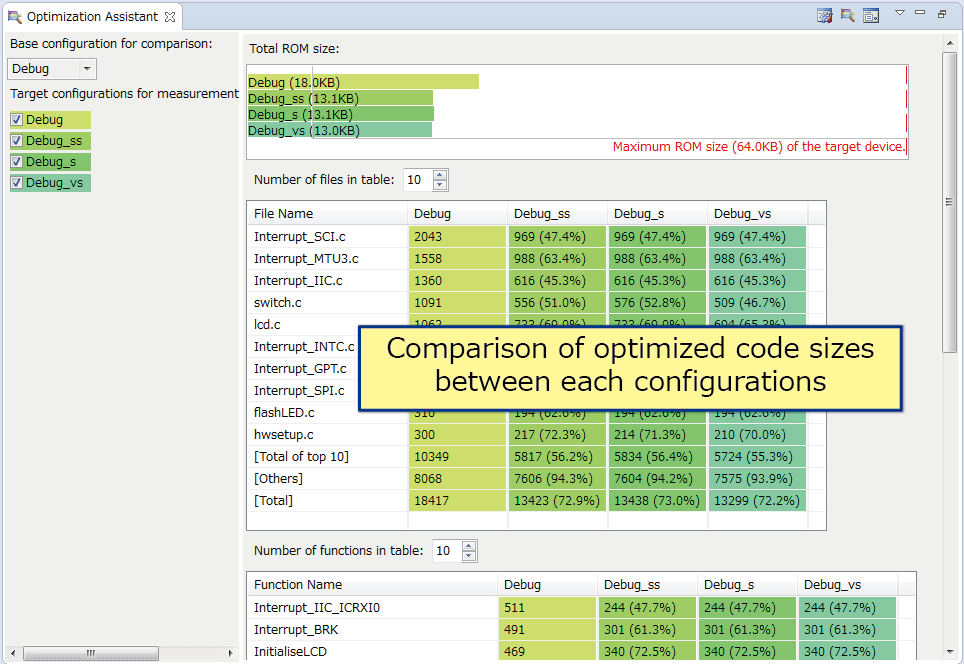
Assistant for Optimization
The assistant for optimization assists in optimizing amounts of executable program code. This tool lets you easily see the changes in code size produced by changing compiler and linker options for building, so can help by shortening the time needed to reduce amounts of code.
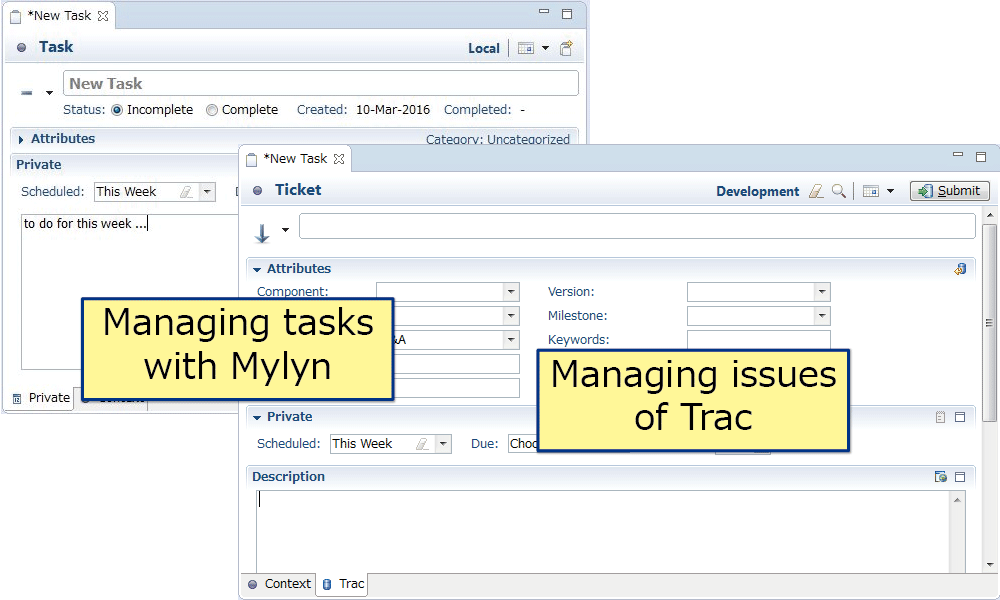
Open-source Plugins that are Useful in Development
The e² studio also supports plugins which are useful for any development, such as for managing problems, version control, code reviews, and developing documentation. (Note1)
- Trac for managing bugs and requirements
- Subversion and Git for version and configuration control (Note2)
- AgileReview for code reviews
- Doxygen for developing documentation
- Jenkins for build management
- CUnit and Unity for testing
Note
- The above open-source tools can be found on their respective official download pages. Refer to the relevant page for the license conditions of each. Note that Renesas assumes no responsibility for failures of or other problems with this software.
- Those that can be run from a Windows Explorer window can also be run from the CS+ project tree (e.g. version management tools).
支持
支持社区
- DA14580 通过SPI连接GD25Q16C
请问DA14580是否支持SPI连接GD25Q16C的FLASH进行读写数据,以及OTA升级呢?操作是否和官方给定的W25X20CL一样呢? spi_access是否对可以支持的FLASH ...
2018年6月25日 - DA14681 SUOTA问题
... 步执行“program_qspi_nvparam.bat”报错,提示系统找不到指定路径。如下: PS D:\WindLink\SmartBead\Code\BluetoothBeads_v1.00\utilities\scripts\qspi> .\program_qspi_nvparam.bat ....................................................................................................................... .. .. PROGRAMMING PARAMETERS .. ....................................................................................................................... 系统找不到指定的路径。 IDE ...
2018年7月11日 - 用Smart Snippets 烧写外部存储器时 怎样选择SDK Header file
你好: 请问: 1、在工具Smart Snipptets Tool 中的 EEPROM Programmer选择“Make Single image”装入*Bin文件后,“Select a SDK Header file”要选择哪个文件? 2、 烧录后“Key”和 “IV”是否可以用 ...
2020年9月18日


