
概览
描述
[Notes] Renesas Emulator and Flash Memory Programmer Products with a USB Interface Notice Regarding Changes to Windows Driver Policy (PDF | English, 日本語)
Topics
- The PG-FP6 supports the new device RX14T.
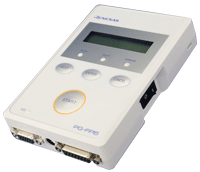
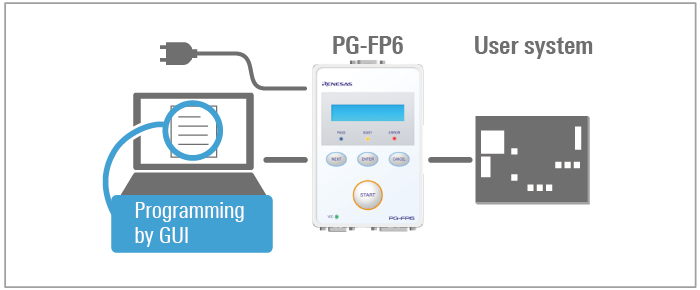
The PG-FP6 installed in a system is a tool for erasing, programming, and verifying programs on Renesas MCUs with on-chip flash memory.
特性
- Control panel suitable for stand-alone operation [Learn More]
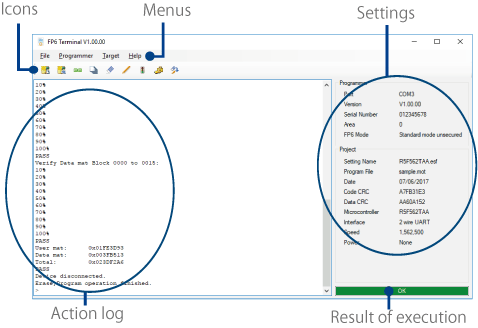
- Simple and user-friendly GUI, FP6 Terminal [Learn More]
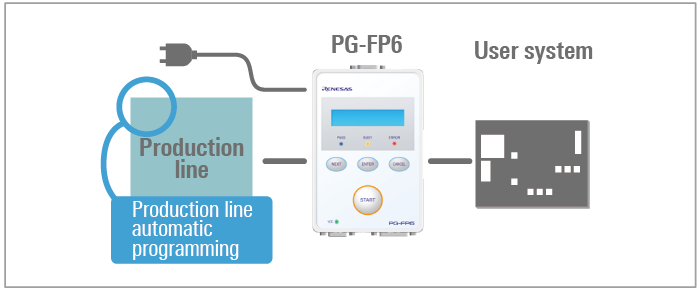
- Useful functions for production line: programming using by buttons and automatic programming
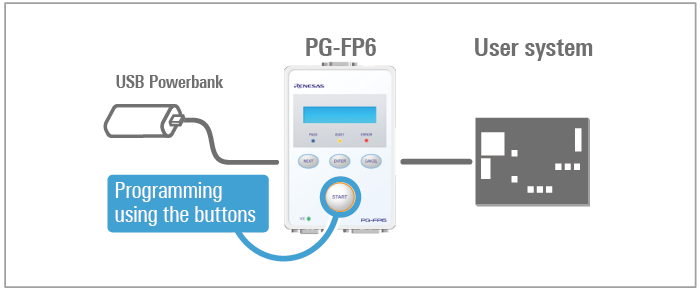
- Able to use USB power: convenient for programming in the field
- High-speed programming of MCUs by the PG-FP6 for reduced production times [Learn More]
- Support for high-volume programming by gang programming with the use of multiple PG-PF6s [Learn More]
- Security Enhancement against theft of program files and the PG-FP6 main unit [Learn More]
- Security slot for theft prevention
- High-speed downloading of files for programming from a PC to the PG-FP6 [Learn More]
- Code storage capacity with 256MB for large flash memory
- High compatibility with the predecessor [Learn More]
发布信息
Programming GUI (FP6 Terminal)
Latest Ver. : V1.20.00
Released : Apr. 20, 2026
Note: The FP6 Terminal includes parameter files, firmware, and USB drivers.
Release information (See Tool News)
Operating Environment
FAQ
See also Error Guide.
目标设备
Target Family
- RA Family
- RL78 Family
- RX Family
- RH850 Family
- RISC-V MCU
- Renesas Synergy™ Platform MCUs
- RE Family
- Power & Power Management (Battery Fuel Gauge ICs)
- Power & Power Management (USB Type-C & USB Power Delivery)
- Power & Power Management (Motor Control ICs)
- SuperH Family
- V850 Family Note1
- 78K Family Note1
- R8C Family
Note:
- Use programmers produced by partners for programming of the V850 and 78K with dual power supply flash memory, which assume mass production with mask ROM.
- For details of support for individual device part numbers, see List of MCUs supported by PG-FP6 (PDF | English, 日本語).
文档
|
|
|
|
|---|---|---|
| 类型 | 文档标题 | 日期 |
| 手册 - 开发工具 |
PDF
2.41 MB
日本語
The PG-FP6 is a flash memory programmer for Mmicrocontrollers from Renesas Electronics. Stand-alone writing is supported. This manual describes Renesas Flash Programmer V3 functions, operations, troubleshooting, and precautions.
|
|
| 发行说明 |
PDF
597 KB
日本語
This document covers release information on the PG-FP6 products. It describes addition of supported devices, and improved functionality and change.
|
|
| 传单 | PDF 644 KB English , 日本語 | |
| 手册 - 开发工具 |
PDF
206 KB
日本語
The PG-FP6 is a flash memory programmer for Mmicrocontrollers from Renesas Electronics. Stand-alone writing is supported. The microcontrollers, interfaces, and parameter files supported by Renesas Flash Programmer V3 are listed.
|
|
| 手册 - 开发工具 |
PDF
861 KB
日本語
The PG-FP6, Renesas Flash Programmer are flash memory programmer for Mmicrocontrollers from Renesas Electronics. This manual describes the recommended circuitry for connecting PG-FP6, Renesas Flash Programmer to the microcontroller.
|
|
| 工具新闻 - 发布公告 | PDF 142 KB 日本語 | |
| 工具新闻 - 发布公告 | PDF 140 KB 日本語 | |
| 工具新闻 - 发布公告 |
PDF
142 KB
日本語
This is a tool news to announce the upgrade to revision to the Programming GUI for PG-FP6 Flash Memory Programmer (FP6 Terminal) V1.18.00.
It describes addition of supported devices, improved functionality and change, and updating the Product.
The main upgrade to revision are RL78/L23 group support, and increasing the speed of programming and verification via a FINE interface.
|
|
| 工具新闻 - 发布公告 | PDF 143 KB 日本語 | |
| 工具新闻 - 发布公告 | PDF 142 KB 日本語 | |
| 工具新闻 - 注意事项 | PDF 148 KB 日本語 | |
| 工具新闻 - 发布公告 | PDF 148 KB 日本語 | |
| 工具新闻 - 发布公告 | PDF 143 KB 日本語 | |
| 工具新闻 - 发布公告 | PDF 142 KB 日本語 | |
| 手册 - 开发工具 | PDF 662 KB 日本語 | |
| 工具新闻 - 发布公告 | PDF 136 KB 日本語 | |
| 工具新闻 - 发布公告 | PDF 145 KB 日本語 | |
| 工具新闻 - 注意事项 | PDF 142 KB 日本語 | |
| 工具新闻 - 发布公告 | PDF 137 KB 日本語 | |
| 工具新闻 - 发布公告 | PDF 137 KB 日本語 | |
| 工具新闻 - 发布公告 | PDF 137 KB 日本語 | |
| 工具新闻 - 发布公告 | PDF 168 KB 日本語 | |
| 工具新闻 - 推介工具 | PDF 864 KB 日本語 | |
| 工具新闻 - 发布公告 | PDF 166 KB 日本語 | |
| 工具新闻 - 通告 | PDF 502 KB 日本語 | |
| 工具新闻 - 发布公告 | PDF 161 KB 日本語 | |
| 手册 - 开发工具 | PDF 206 KB | |
| 工具新闻 - 发布公告 | PDF 141 KB 日本語 | |
| 工具新闻 - 发布公告 | PDF 156 KB 日本語 | |
| 工具新闻 - 注意事项 | PDF 142 KB 日本語 | |
| 工具新闻 - 发布公告 | PDF 90 KB 日本語 | |
| 工具新闻 - 通告 | PDF 92 KB 日本語 | |
| 工具新闻 - 注意事项 | PDF 144 KB 日本語 | |
| 工具新闻 - 发布公告 | PDF 139 KB 日本語 | |
| 工具新闻 - 注意事项 | PDF 149 KB 日本語 | |
| 工具新闻 - 发布公告 | PDF 137 KB 日本語 | |
| 工具新闻 - 发布公告 | PDF 57 KB 日本語 | |
| 工具新闻 - 推介工具 | PDF 193 KB 日本語 | |
| 工具新闻 - 通告 | PDF 306 KB 日本語 | |
| 工具新闻 - 通告 | PDF 304 KB 日本語 | |
| 工具新闻 - 通告 | PDF 352 KB 日本語 | |
| 工具新闻 - 通告 | PDF 29 KB 日本語 | |
| 工具新闻 - 注意事项 | PDF 29 KB 日本語 | |
| 工具新闻 - 发布公告 | PDF 72 KB 日本語 | |
| 应用说明 |
PDF
369 KB
日本語
AI 生成的摘要:
Communications commands enable automated control and programming of Renesas microcontrollers and ICs via the PG-FP6 flash programmer using a serial interface. The document details the connection setup between the host PC, PG-FP6, and target system, creation of setting and macro files, and execution of commands through communications software. It supports various device families including RA, RL78, RX, RH850, and others. Procedures cover flash memory operations such as erasure, programming, and verification, with examples of multi-file and gang programming.
|
|
| 工具新闻 - 发布公告 | PDF 528 KB English , 日本語 | |
| 工具新闻 - 注意事项 | PDF 105 KB 日本語 | |
| 工具新闻 - 注意事项 | PDF 105 KB 日本語 | |
| 工具新闻 - 注意事项 | PDF 118 KB 日本語 | |
| 工具新闻 - 注意事项 | PDF 115 KB 日本語 | |
|
50 项目
|
||
设计和开发
产品选项
| Part Number | Status | Stock | Budgetary Price (USD) | Description | Regional Availability |
|---|---|---|---|---|---|
| QB-F14T16-01 | Active | In Stock | 1ku | $37.65 | 14-Pin to 16-Pin Conversion Adapter for E1 Emulator | |
| RTE0T00001FWRAS000R | Active | Out of Stock | PG-FP6 for China, Hong Kong, Chinese Taipei, South Korea, Singapore | CN, IN, KR, SG, TW | |
| RTE0T00001FWRB0000R | Active | In Stock | 1ku | $159.18 | 20 Pin Conversion Adapter for the PG-FP6 | |
| RTE0T00001FWREA000R | Active | In Stock | PG-FP6 for Europe, USA | US, EU, BR | |
| RTE0T00001FWRJP000R | Active | Out of Stock | PG-FP6 for Japan | JP | |
| RTE0T00020KCAC0000J | Active | In Stock | 1ku | $25.88 | User-system Interface Cable for the E2 Emulator (20-20 pins) | |
| RTE0T00020KCAC1000J | Active | In Stock | 1ku | $25.88 | User-system Interface Cable for the E2 Emulator(20-10 pins) |
探索
视频和培训
This video demonstrates how to obtain and set up the PG-FP6, and how to use it with the Fast Prototyping Board for the RL78/G23.
The RL78/G23 FPB Board is used in this video; the procedure is the same for other families.
Additional Details
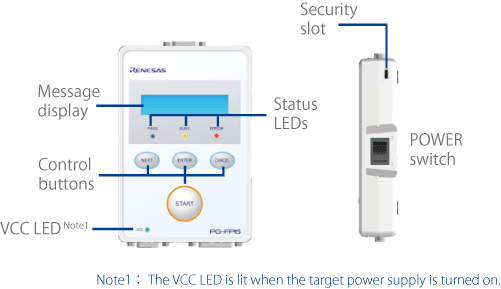
Control panel suitable for stand-alone operation
User-friendly GUI (FP6 Terminal)
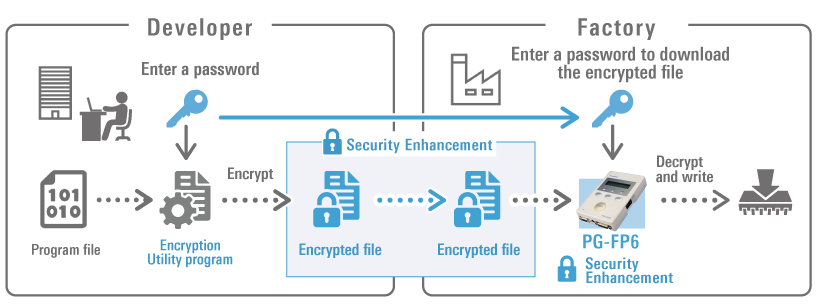
Security Enhancement against theft of program files and the PG-FP6 main unit
The following three features are added to enhance security against theft of program files and the PG-FP6 main unit.
- Encryption of program files
- Saving of encrypted files in the PG-FP6 main unit
- Simultaneous decryption and writing in the PG-FP6
The program file encryption function can be run by using the encryption utility program (RPE.exe) from the command line. The file is among those installed by the FP6 Terminal installer.
Major Functions
- Stand-alone programming
- PC-controlled programming using dedicated GUI (FP6 Terminal)
- Up to 8 savable programming environments
- Optimized for production line programming (command control or remote control)
- Programming a unique code to a designated area of flash memory
- Function to control PG-FP6 main unit (prohibiting uploading and setup)
- Encryption of program files
- Saving of encrypted files in the PG-FP6 main unit
- Simultaneous decryption and writing in the PG-FP6
- Simultaneous selection of multiple program files
- Gang programming
High Compatibility with the Predecessor
Designed with compatibility with the predecessor PG-FP5 in mind for smooth migration.
- Setup files created with the PG-FP5 can be imported
- Support of PG-FP5-enabled MCUs
(For the V850 and 78K family, only MCUs with single-power-supply flash memory is supported.) - The same specifications of control buttons, message display, and status LEDs
- The same specification of connector layout
- Connectable to boards designed by using the PG-FP5
- Pursuing programming GUI compatibility
*Function and performance comparisons with the PG-FP5 (Learn More >>)
Specifications
| Item | Description |
|---|---|
| Operating power supply |
|
| Operating environment condition | Temperature: 5C to 35C (no condensation) |
| Storage environment condition | Temperature: 15C to 55C (no condensation) |
| Package size | 140 x 95 x 30 mm (not including projections) |
| Weight | Approximately 245 g |
| Host PC interface | Target host PC: Refer to section 1.5, Operating Environments. USB connector: USB 2.0 (mini-B type) Serial port: 9-pin D-Sub male port for RS-232C Note1 |
| Target interface | 15-pin D-Sub female target connector Power supply: 1.8 V to 5.5 V, 500 mA max. Note2 |
| Remote interface | 15-pin D-Sub female remote connector Interface level: 3.3 V |
| Operation of the PG-FP6 main unit |
|
| Selectable programming environment | Up to eight target environments are selectable for the programming area (384 MB max) |
| Security functions of the PG-FP6 main unit |
|
| Power adapter | Power adapter for each region Note3 |
| USB cable | Approximately 2 m |
| Target cable | 14-pin type:Cable length: Approximately 42 cm |
| GND cable | Approximately 1 m |
| Compliance with overseas standards | European Standards: EN 55032 Class A, EN 55024 US FCC Standard: FCC part 15 Class A |
Notes:
- Connecting to the host PC has to use a cross cable.
- The maximum power-supply current is 100 mA when USB bus power is being supplied; however, this depends on the performance of the USB host in terms of the supply of power.
- The power adapter that comes with the PG-FP6 varies with the region where it is to be used. For the product type names, see Ordering Information.
Components
| PG-FP6 | GND cable | USB cable | Target cable (14-pin) | Power supply adapter |
图像 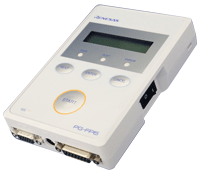 | 图像 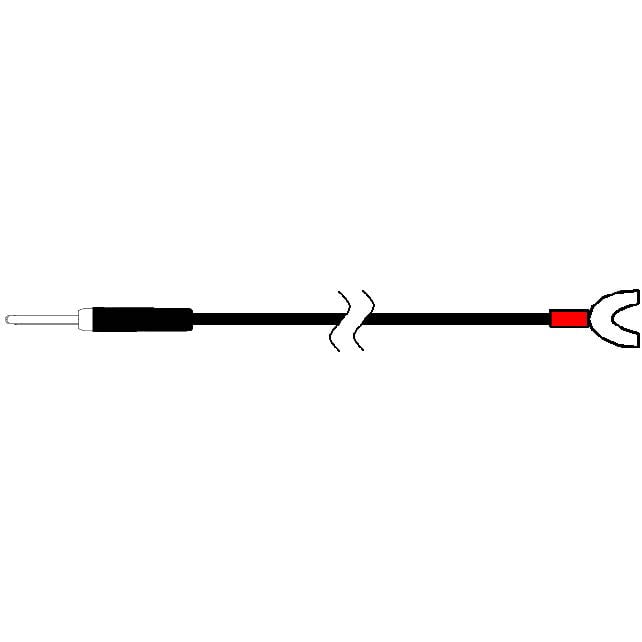 | 图像 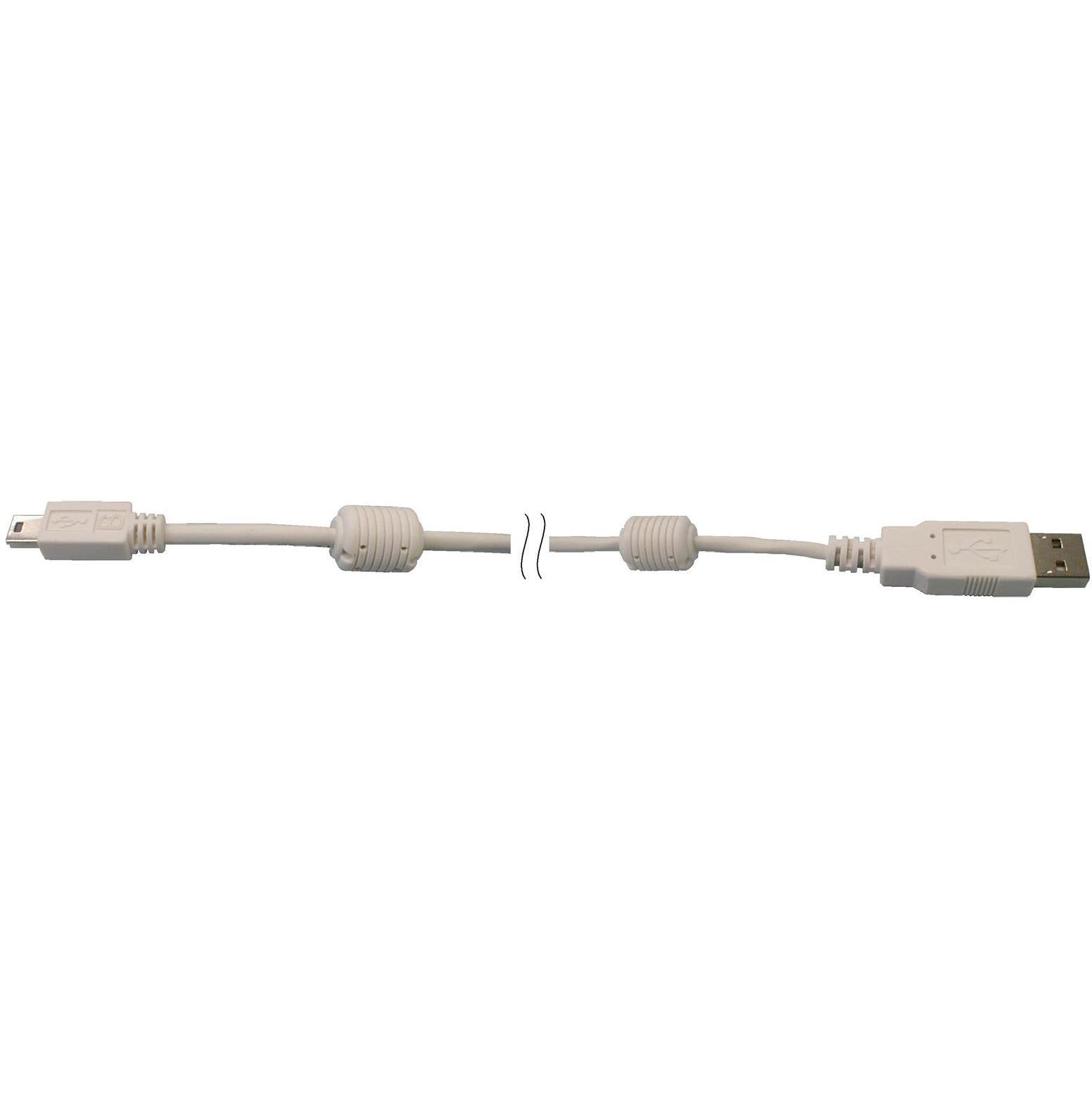 | 图像 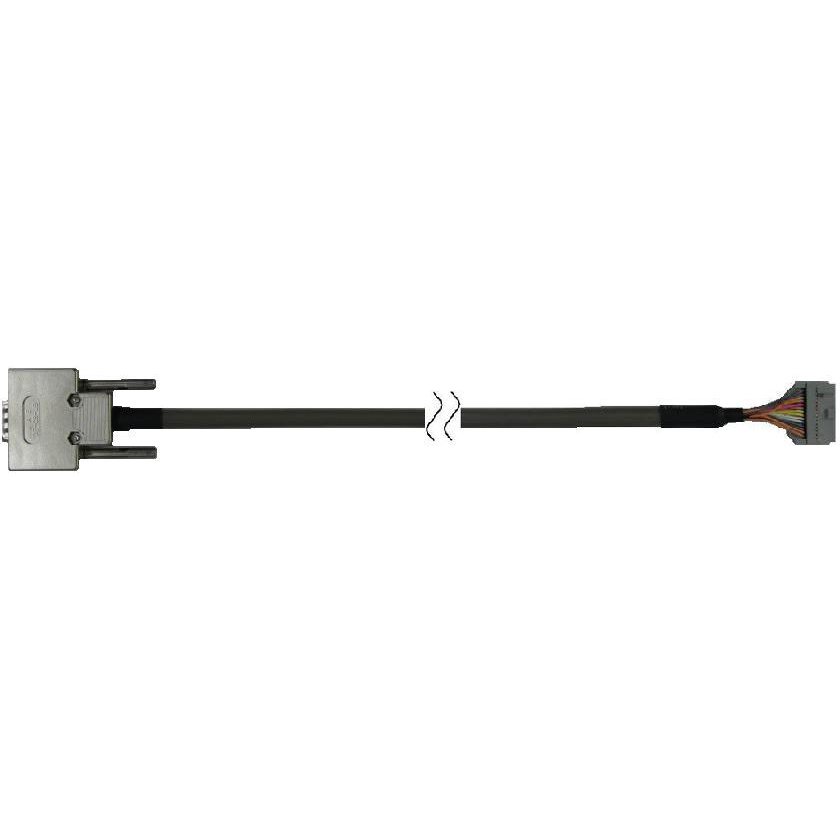 | 图像 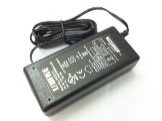 |
Notes:
- The regulations with which the PG-FP6 conforms and plug shape vary depending on regions where the order is made. See Power supply adapter. >>
- Conversion Adapters or Cables are provided as optional products. See optional products. >>
- Programming GUI, FP6 Terminal, is available here for download.
Ordering Information
| Region | Ordering Number |
|---|---|
| Japan | RTE0T00001FWRJP000R |
| Europe, USA | RTE0T00001FWREA000R |
| China, Hong Kong, Chinese Taipei, South Korea, Singapore | RTE0T00001FWRAS000R |
Notes:
- Since regulations that apply to the PG-FP6 vary with the region, we cannot ship a product to a region other than that from which the order was made. For example, if you place an order in Japan, you cannot purchase a product intended for Europe and the USA. Please purchase the product from a Renesas Electronics Corporation representative (responsible for sales) or distributor in the region where it is to be used.
- If you wish to know which model is available in a region not included in the above table, please contact either a Renesas Electronics Corporation representative (responsible for sales) or distributor.
- The power adapter that comes with the PG-FP6 complies with the regulations that are applicable in the target region. Its plug is also in the shape that is usable in that region.
Power Supply Adapter
The PG-FP6 includes a power supply adapter which conforms with the regulations and plug shapes in the region where the order is made.
| Region | Plug Shape | Voltage | |||
|---|---|---|---|---|---|
| Japan | 图像  A | AC: 100-240V Note1 | |||
| Europe | 图像  SE | 图像  C | 图像  BF | 图像 A | |
| USA | |||||
| China | |||||
| Hong Kong | |||||
| Chinese Taipei | |||||
| South Korea | |||||
| Singapore | |||||
Note:
- This is the range of voltages that the power-supply adapter can support. For the actual voltage through the power-supply cable, check the indication often be at the end of the casing for the plug.
PG-FP6 Usage Examples
Stand-alone (off-line) programming
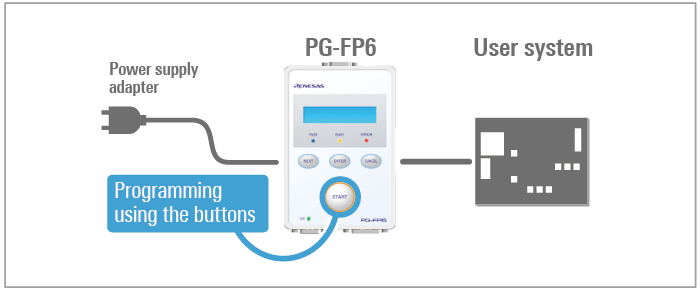
Field programming
Production line programming
PC programming
Optional Products
Following optional products are provided to facilitate the use of the PG-FP6.
- Conversion Adapter
- 20-Pin Conversion Adapter for the PG-FP6 [RTE0T00001FWRB0000R]
- 14-Pin to 16-Pin Conversion Adapter for the E1 Emulator [QB-F14T16-01]
- Converter Cable
- User-system Interface Cable for the E2 Emulator (20-10 pins) [RTE0T00020KCAC1000J]
- Cable
- User-system Interface Cable for the E2 Emulator (20-20pins) [RTE0T00020KCAC0000J]
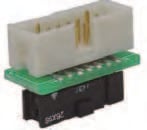
Conversion Adapter
20-Pin Conversion Adapter for the PG-FP6 [RTE0T00001FWRB0000R]
This adapter is used for converting the 15-pin D-sub connectorNote1 to be connectable to the 20-pin CoreSight connector. The adapter comes with a 20-pin CoreSight cable (approximately 150-mm long).
Purpose: Programming RA- or RE-family MCUs on boards which have 20-pin CoreSight connectors.
Note:
- The target connecter on the PG-FP6.

20-Pin Conversion Adapter for the PG-FP6
14-Pin to 16-Pin Conversion Adapter for the E1 Emulator [QB-F14T16-01]
This adapter converts the 14-pin, 2.54-mm pitch connector of the target cable to be connectable to the 16-pin, 2.54-mm pitch connector of the PG-FP5 or MINICUBE2.
Purpose: Programming 78K- or V850-family MCUs on boards which have 16-pin connectors.
Converter Cable
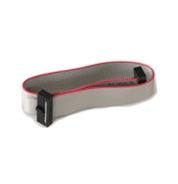
User-system Interface Cable for the E2 Emulator (20-10 pins) [RTE0T00020KCAC1000J]
RTE0T00020KCAC1000J User's Manual User-system Interface Cable for the Emulator(20-10 pins) (PDF | English, 日本語)
This cable is used for converting a CoreSight 20-pin connector to fit a CoreSight 10-pin connector, and is available for separate purchase. Use this conversion cable (approximately 150-mm long) along with the 20-pin conversion adapter for the PG-FP6.
Purpose: Programming RA- or RE-family MCUs on boards which have 10-pin CoreSight connectors.
Cable
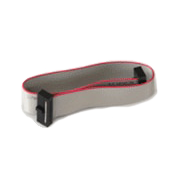
User-system Interface Cable for the E2 Emulator (20-20pins) [RTE0T00020KCAC0000J]
RTE0T00020KCAC0000J User's Manual User-system Interface Cable for the Emulator (20-20 pins) (PDF | English, 日本語)
This 20-pin CoreSight cable (approximately 150-mm long) is available for separate purchase. This cable also comes with the 20-pin conversion adapter for the PG-FP6.
Purpose: For use when, for example, the cable that comes with the product is damaged.
支持
支持社区
- R7F7010223AFP擦除报错
在我对r7f7010223afp这款芯片进行擦除时,收到回包如下想请问eb对应的是什么错误。同时也想请问一下rh850系列芯片是否有area erase command?
2025年4月10日 - RA系列量产烧录工具
请问下,RA系列芯片的产线上量产用的烧录工具有哪些的,可以从哪里采购到。
2021年8月7日 - R5F10DSLL芯片烧录时提示Baudrt. set fail
由于缺货,市面上买了一批R5F10DSLL芯片,但使用PG-FP6及E1,烧录不了程序; 使用PG-FP6,提示的错误是ERROR:016 Baudrt.set fail 使用的PG-FP6,固件是 ...
2021年9月12日
知识库
- 可以使用哪些工具对RA系列嵌入式闪存进行编程?
... 用于测试,原型设计和小批量生产的瑞萨电子编程器)到瑞萨PG-FP6等生产级程序员 以及瑞萨合作伙伴网络中的其他几个。
2019年10月8日 - RH850系列的选项字节设置方法
请在GUI上的“选项字节设置”中,将OPBT0设置为任意值。(以4字节为单位) 有关设置值,请参照RH850用户手册中关于选项字节的章节。
- RL78/L23: 调整Boot cluster 的大小, bank swap 设置
... 里可以对bank swap设定进行设置? Answer: 可以使用专用的闪存编程器 PG-FP6 或Renesas Flash Programmer(Programming GUI)进行配置。bank swap设定可以在 e2 studio 和 CS+ 调试 ...


