
概览
描述
QE for Lighting & Power is an assistance tool for smart lighting and digital power supply system solution development.
It seamlessly integrates with Renesas’ lighting system libraries, digital power software, reference solution programs, various compilers, and evaluation boards, enabling efficient development and validation of complete lighting control and power regulation solutions.
This product is available free of charge.
特性
- DALI-2 Control Gear support, and GUI configuration of lighting control (DALI) parameters
- Automatic generation of software for lighting control (DALI)
- Guidance display to help develop lighting systems
- Learn More
发布信息
| Product Name | Latest Ver. | Released | Taget Device (Note1) | Details | Download | Operating Environment |
|---|---|---|---|---|---|---|
| QE for Lighting & Power | V2.0.0 | Apr 15, 2026 | RL78 Family | See Release Note | Download | Operating Environment |
Notes
- For detailed support devices, refer to Target Devices
目标设备
下载
|
|
|
|
|---|---|---|
| 类型 | 文档标题 | 日期 |
| 软件和工具 - 软件 | QE for Lighting & Power V2.0.0: Development Assistance Tool for Lighting System
|
|
1 项目
|
||
文档
|
|
|
|
|---|---|---|
| 类型 | 文档标题 | 日期 |
| 发行说明 |
PDF
1.48 MB
日本語
QE for Lighting & Power is a QE (Quick and Effective) tool provided by Renesas for smart lighting and digital power supply system development.
This V2.0.0 Release Note provides an overview of the functions, newly added features, supported environments, usage restrictions, and important notes for this version.
|
|
| 工具新闻 - 发布公告 | PDF 434 KB 日本語 | |
| 传单 | PDF 797 KB English , 日本語 | |
| 工具新闻 - 发布公告 | PDF 220 KB 日本語 | |
| 发行说明 | PDF 1.46 MB 日本語 | |
| 工具新闻 - 发布公告 | PDF 356 KB 日本語 | |
| 发行说明 | PDF 1.08 MB 日本語 | |
| 工具新闻 - 发布公告 | PDF 270 KB 日本語 | |
| 发行说明 | PDF 299 KB 日本語 | |
9 项目
|
||
设计和开发
相关评估板和套件
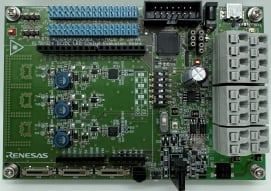
RL78/G24 DC/DC LED 控制评估板
RL78/G24 DC/DC LED 控制评估板可以使用 RL78/G24 来评估 DC/DC 转换器控制和各种通信标准,而该 RL78/G24 在 RL78 系列微控制器中具有最高的处理性能,还有已增强的电源控制模拟功能。
该板支持 PMBus/SMBus、DALI-2、DMX512 和红外通信协议。 使用 RL78/G23 照明通信主评估板和 GUI,可通过 DALI-2、DMX512 和红外数据通信协议进行调光评估。
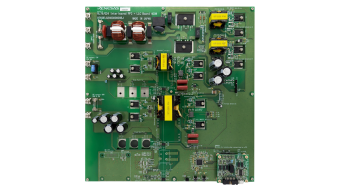
RL78/G24 交错式 PFC + LLC 400W 参考设计
探索
视频和培训
该视频中展示了智能照明系统的基本功能,以及QE工具如何助力您的智能照明系统开发。
新闻和博客
博客 2023年12月18日 |
Additional Details
Features
Quickly develop software for use with DALI control gear
QE for Lighting & Power is easy to use. Just follow the workflow to create a sample project, make DALI settings, and generate source code, all through a simple GUI. After having compiled the source code, write your program to the evaluation board.
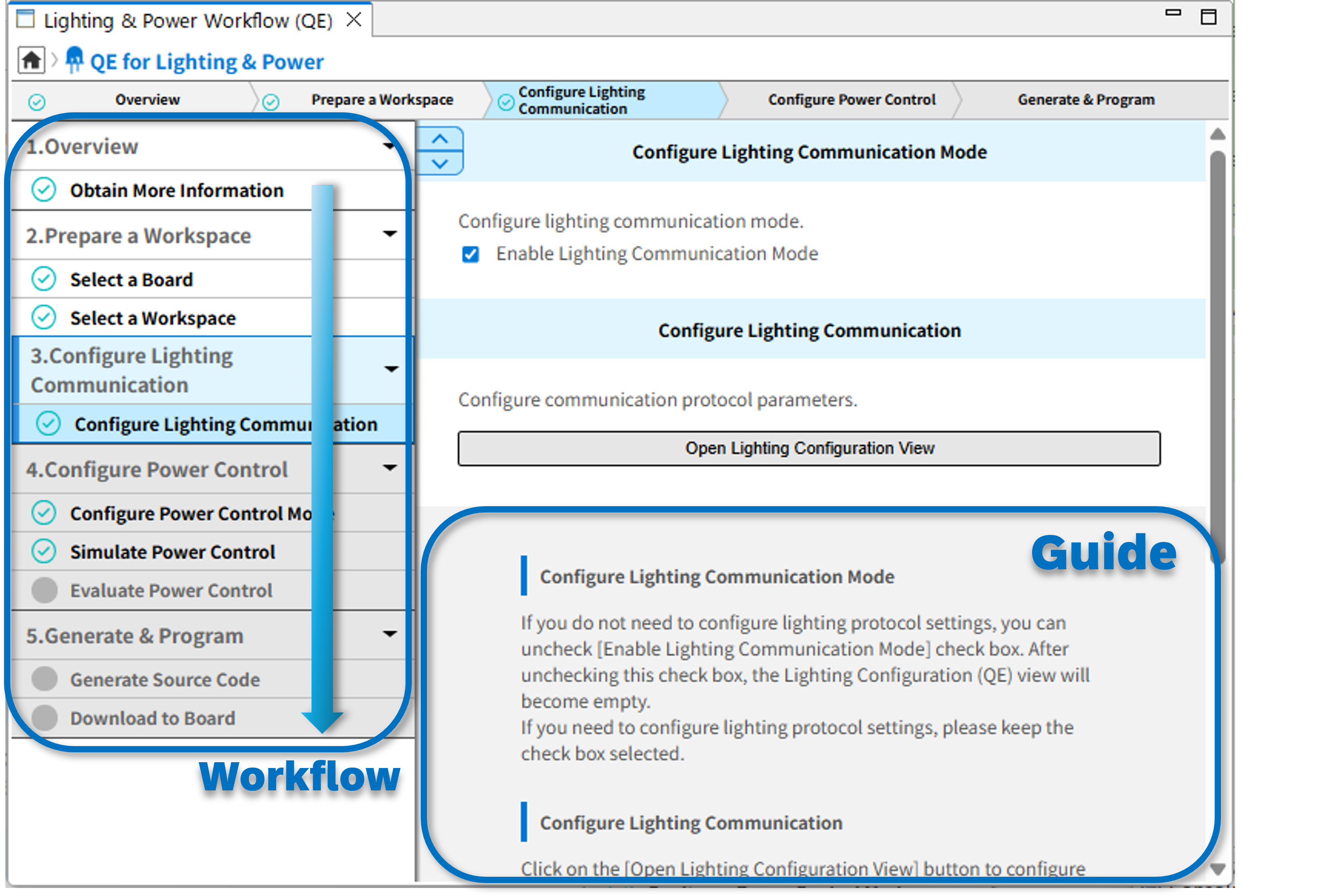
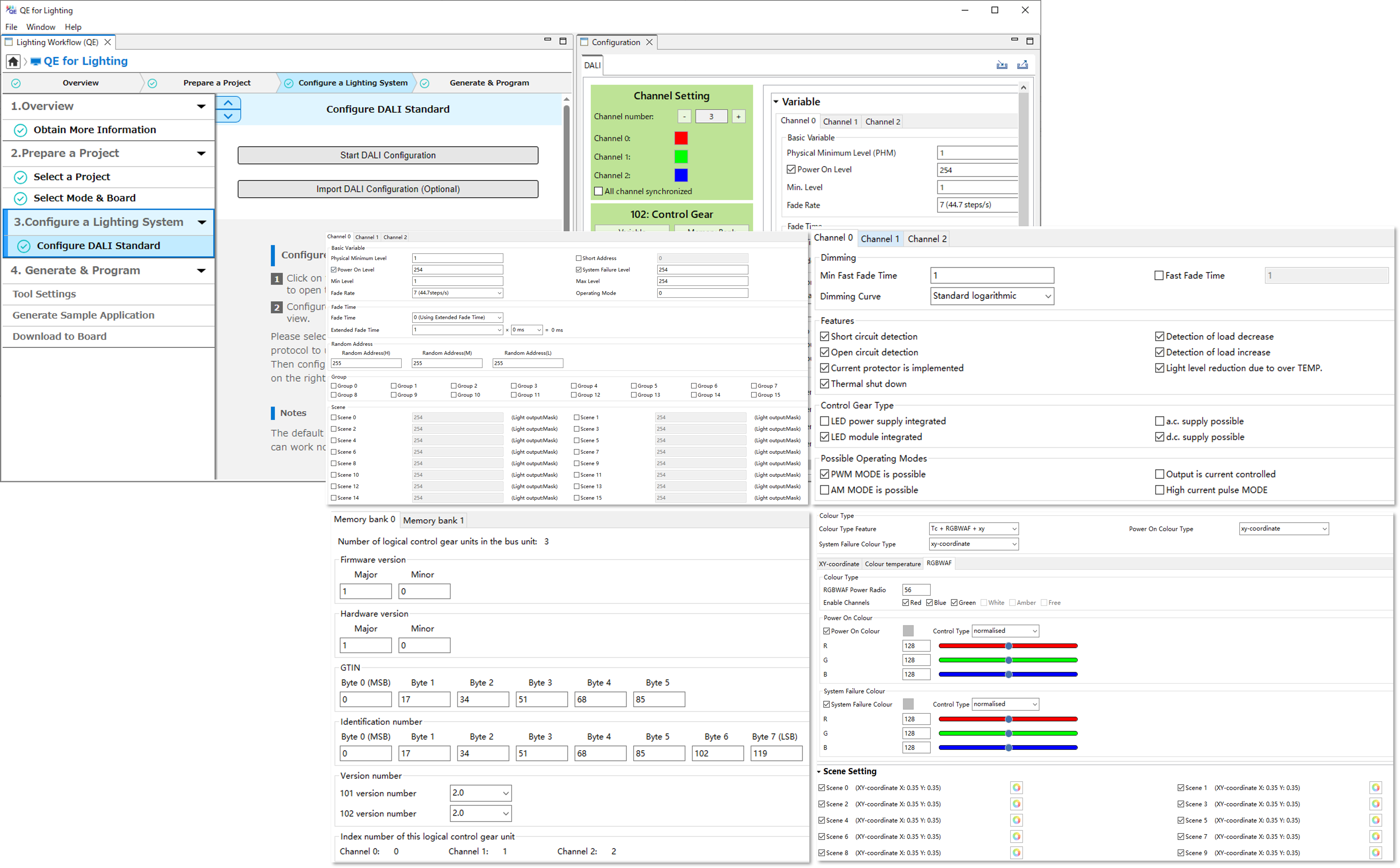
Use the simple GUI to configure parameters for DALI-based lighting control
You can select the individual parameters and enter their values.
If a value is incorrect, QE for Lighting & Power will show an error message.
QE for Lighting & Power supports the following items.
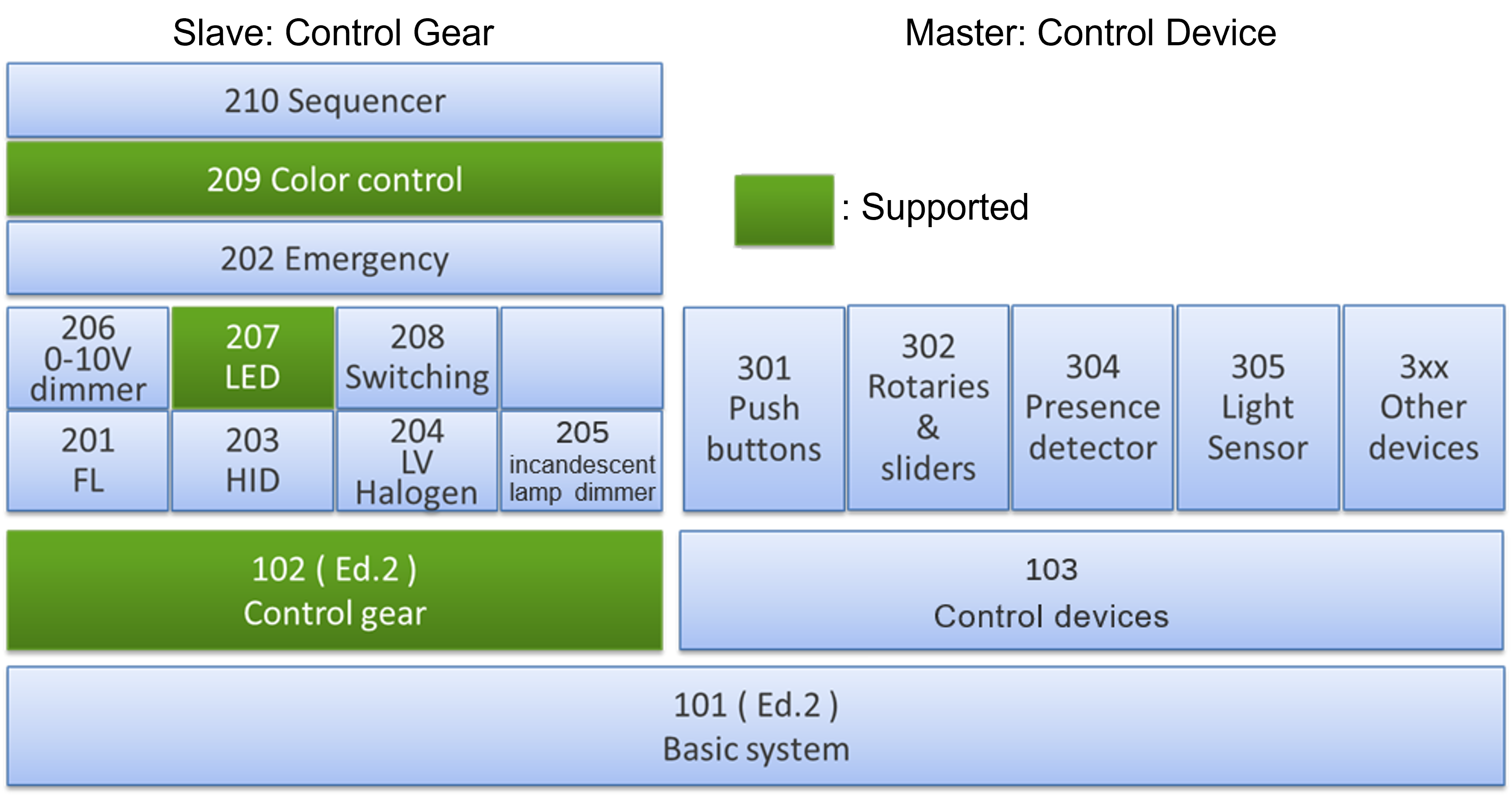
・DALI control gear libraries (compliant with IEC 62386-102)
・Particular requirements of IEC 62386-207 edition 1.0 (LED modules) for LED lighting
・Particular requirements of IEC 62386-209 edition 1.0 (color control) for production lighting
・Multiple types of LED dimming control (by the CPU or FAA)
・Combining different protocols for generating various sample applications
IEC 62386-102 + IEC 62386-207
IEC 62386-102 + IEC 62386-207 + IEC 62386-209
Simply click on GUI buttons for generating source code and writing to the evaluation board
・Click on GUI buttons to generate source code and compile it.
QE for Lighting & Power supports the following compilers:
Renesas CC-RL
IAR
・Click on a GUI button to make the Renesas Flash Programmer write the program to the evaluation board.
Connect your evaluation board to the PC according to the instructions provided by QE for Lighting & Power. You will immediately be able to run your program on the evaluation board.
Assist in Evaluating Power Control Parameters
・Easily leverage the power control simulator with simple, one-click operation from the intuitive GUI.
・Follow the guided workflow to fine-tune power control parameters in real time using the actual hardware.
Device / Evaluation Board – Supported Features List
| Device / Evaluation Board | Configure dimming protocol parameters with graphical UI | Simulate power control parameters without equipment | Evaluate power control parameters on the board | Generate the source code using various compilers | Build and program the lighting system solution to the evaluation board | |
|---|---|---|---|---|---|---|
| RL78/G24 | RL78/G24 DC/DC LED Control Evaluation Board | ✔ | ✔ | ✔ | ✔ | ✔ |
| RL78/G24 Interleaved PFC + LLC Board 400W | ✔ | ✔ | ✔ | ✔ | ✔ | |
| Custom Board | ✔ |
| ✔ | ✔ | ||
| RL78/G22 | Custom Board | ✔ | ✔ | ✔ | ||
| RL78/G23 | Custom Board | ✔ | ✔ | ✔ | ||
| RL78/L23 | Custom Board | ✔ | ✔ | ✔ | ||


