
概述
描述
The QE for Segment LCD supports the new device RL78/L23.
This development assistance tool supports the creation of display pattern and checking the wiring states which are required in the development of embedded systems that involve the use of segment LCDs.
This product is available free of charge.
特性
- Support for the development of software and hardware designs
- Easy creation of display pattern through GUI operations
- Easy checking of the wiring states through clicking operations
- Learn More
发布信息
| Product Name | Latest Ver. | Released | Target Device (Note1) | Details of upgrade | Download | Operating Environment |
|---|---|---|---|---|---|---|
| QE for Segment LCD[RL78] | V1.1.0 | Jan. 09, 2026 | RL78 Family | See Release Note | Download | e² studio plug-in Operating Environment |
Notes
- For details on supported MCUs, refer to the section Target Devices.
目标设备
下载
|
|
|
|
|---|---|---|
| 类型 | 文档标题 | 日期 |
| 软件和工具 - 软件 | QE for Segment LCD [RL78] V1.1.0: Development Assistance Tool for Segment LCD Applications
|
|
1 项目
|
||
文档
|
|
|
|
|---|---|---|
| 类型 | 文档标题 | 日期 |
| 发行说明 | PDF 369 KB 日本語 | |
| 工具新闻 - 发布公告 | PDF 316 KB 日本語 | |
| 传单 | PDF 797 KB English , 日本語 | |
| 工具新闻 - 发布公告 | PDF 442 KB 日本語 | |
| 发行说明 | PDF 365 KB 日本語 | |
| 工具新闻 - 注意事项 | PDF 153 KB 日本語 | |
6 项目
|
||
设计和开发
相关评估板和套件
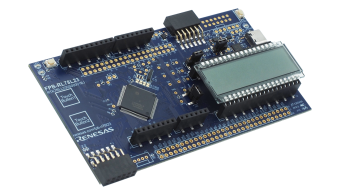
RL78/L23 快速原型开发板
RL78/L23 快速原型开发板采用 RL78/L23 微控制器,是各种原型开发的理想选择。 该电路板具有用于串口调试的 USB-UART 转换芯片,无需额外工具即可进行编程和调试。 该电路板搭载一个段码式 LCD 面板(8 位数字 x 16 段)和两个触摸按键,可以立即开始 LCD 显示与电容触控功能的评估。 此外,开发板还支持 Arduino Uno、Pmod™、Grove 接口以及连接所有 MCU 引脚的通孔,因此具有很高的灵活性和可扩展性。 提供的示例代码包括固件更新、Wi-Fi、LoRa 和基于 LoRaWAN 的无线通信。 瑞萨电子还提供了一个 Arduino 库,支持在... 阅读详情
探索
视频和培训
学习如何使用 QE for Segment LCD 工具,对段码液晶显示(LCD)系统进行配置和调试。利用该工具提供的功能,可完成 LCD 引脚设置、连线测试以及显示图案设计。同时,通过示例代码生成与软件调试实现运行验证。该流程有助于提升段码 LCD 开发与验证效率。
Additional Details
Features
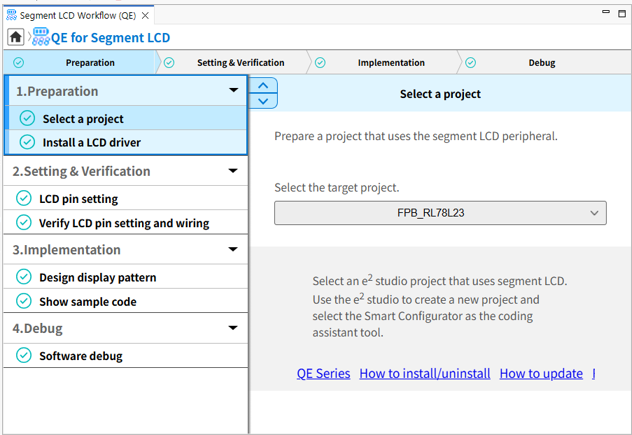
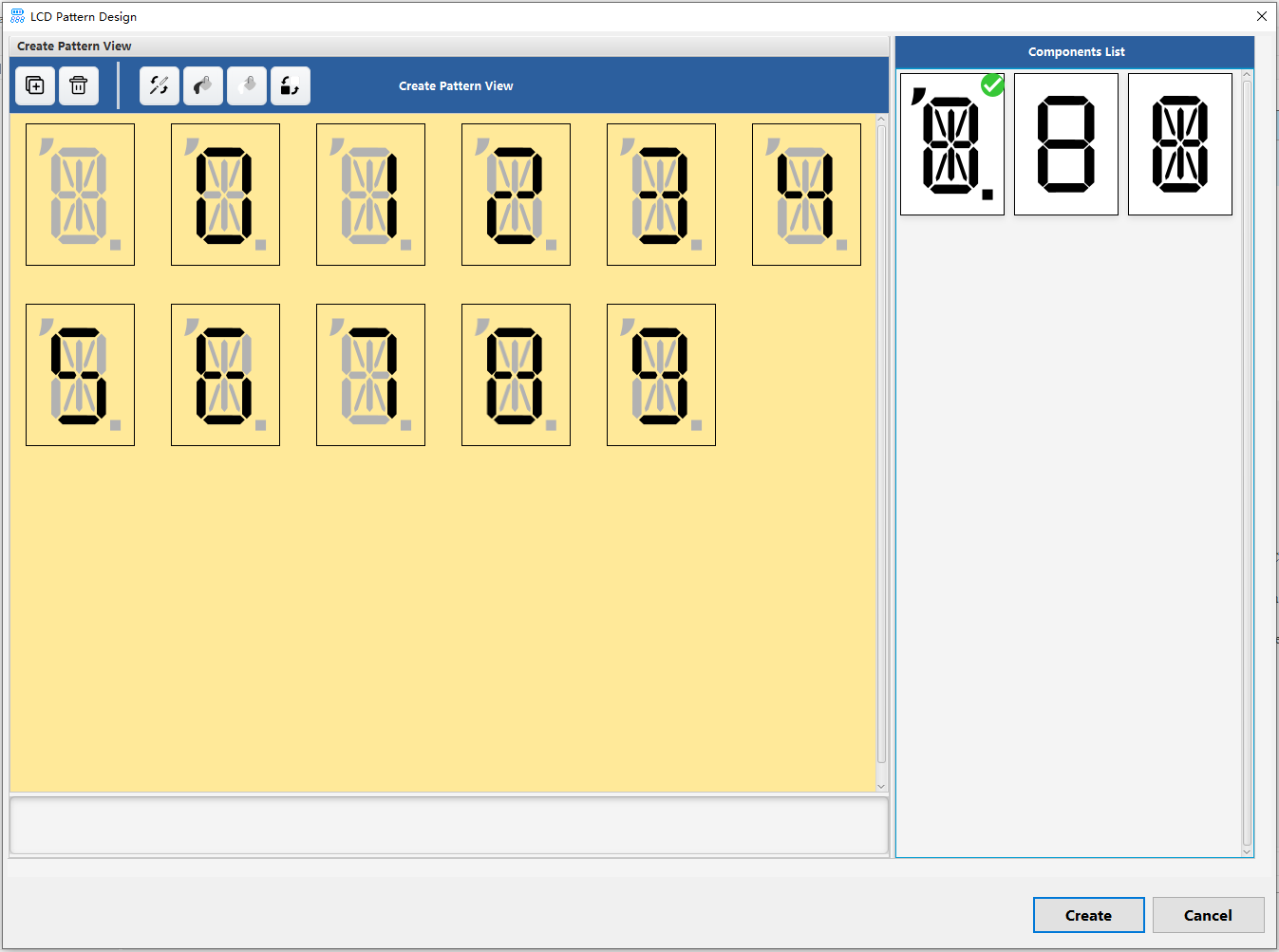
Easy creation of display pattern through GUI operations for beginners in development
Simple GUI operations enable the creation of a display pattern on segment LCDs. You can simply and quickly configure the system to display the desired pattern by generating an API which displays the created pattern and learning how to use the API with the aid of the sample code.
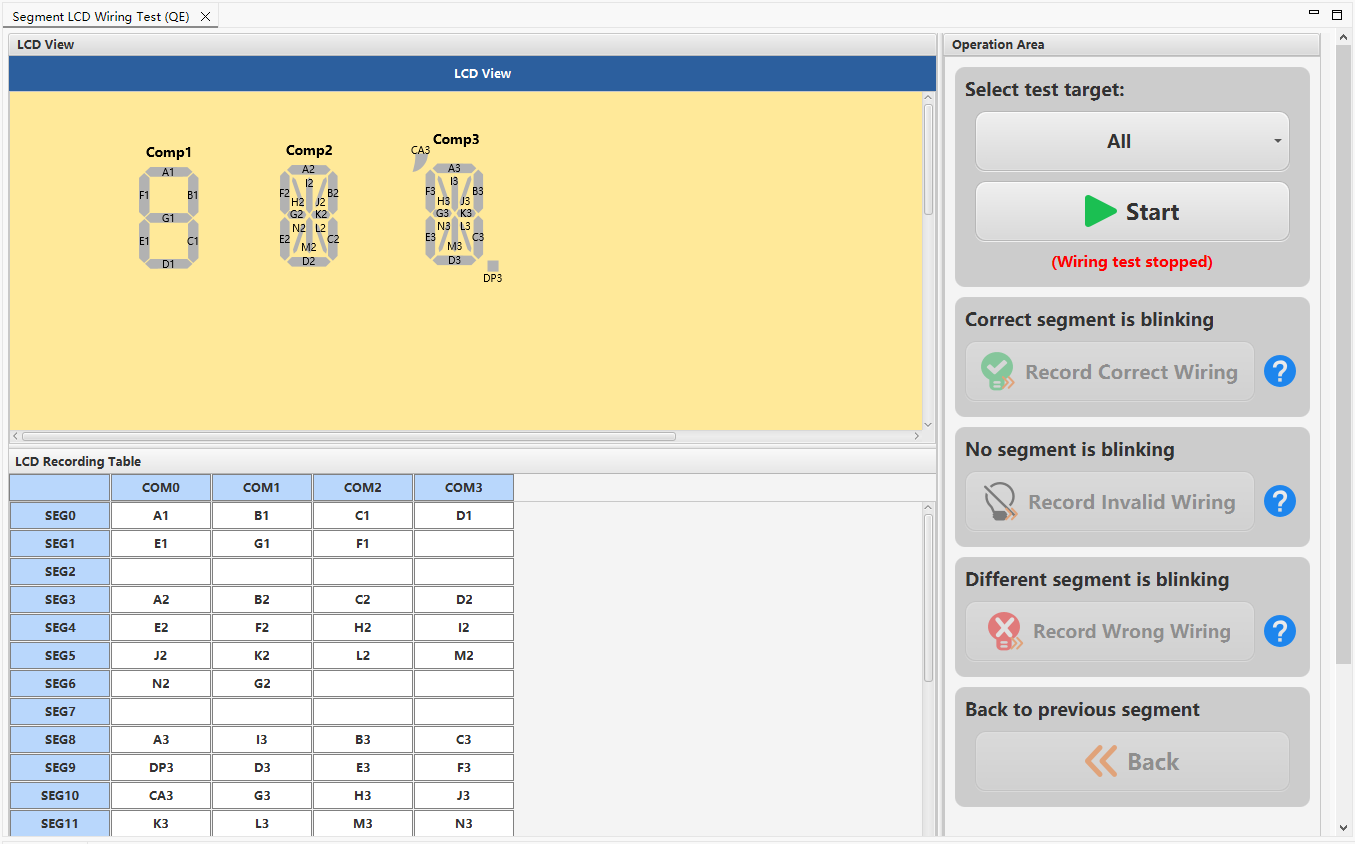
Wiring test between the segment LCD and the microcontroller
You can easily check the wiring states between the segment LCD and the microcontroller by making the various segments blink.
Software Debugging Function
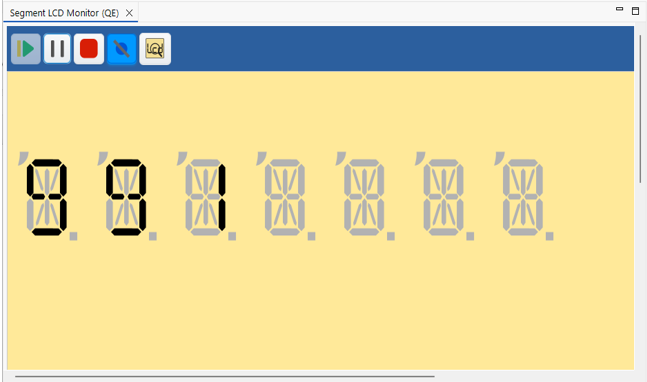
This feature enables the simulation of displays on the LCD and debugging of programs even if a board equipped with an LCD is not available.
You can configure the desired display pattern on the LCD with segments in the [Configure Stop Condition] dialog box and set the timing to verify it as a checkpoint, easing the debugging of displays on the LCD.
The confirmed debugging tools
| Device | E2 emulator | E2 emulator Lite | J-Link |
|---|---|---|---|
| RL78 Family | ✔ | ✔ |


