
概述
描述
- The QE for Camera[RA] supports the new device RA8D2.
This development assistance tool supports the development of embedded systems which use the camera functions of display controllers from Renesas. It supports MCUs of the RZ/RA Family.
This product is a plug-in which extends the Renesas IDE "e² studio".
This product is available free of charge.
特性
- Easy Settings for the Timing of Input Signals from Cameras
- Easy Alterations to the Operation of the Camera Module
- Support for the Debugging of Images Captured by Cameras
- Check the Results of the Settings on the Actual Camera & Display
- Generate a Header File Which Reflects the Settings for Use in Projects
- Learn More
发布信息
| Product Name | Latest Ver. | Released | Target Device(Note1) | Details | Download | Operating Environment |
|---|---|---|---|---|---|---|
| QE for Camera[RZ] | V1.1.1 | 2020/04/07 | RZ Family | See Release Note | Download | e² studio plug-in Operating Environment |
| QE for Camera[RA] | V1.2.0 | 2025/10/22 | RA Family | See Release Note | Download |
目标设备
下载
|
|
|
|
|---|---|---|
| 类型 | 文档标题 | 日期 |
| 软件和工具 - 软件 | QE for Camera [RA] V1.2.0: Development Assistance Tool for Camera Applications
|
|
| 软件和工具 - 其他 | QE for Camera V1.1.1: Development Assistance Tool for Camera
|
|
2 项目
|
||
文档
|
|
|
|
|---|---|---|
| 类型 | 文档标题 | 日期 |
| 发行说明 |
PDF
1.88 MB
日本語
QE for Display[RX,RA] and QE for Camera[RA] allow for easy initial adjustment of display connection (display timing adjustment and image quality adjustment) and create GUI. It also allows for easy initial adjustment of camera image capture (the size and starting position of the image capture) and display it on LCD. This shortens the development period. This document describes this product installation, restrictions and so on.
|
|
| 发行说明 |
PDF
367 KB
日本語
QE for Camera[RZ] and QE for Display[RZ] are one of several Solution Toolkit which operate under the e2 studio integrated development environment. In development of embedded systems using Video Display Controller 5,6 (VDC5,6) installed in the MCUs of the RZ/A series, this product facilitates easy initial adjustment of the camera and display connection and camera module settings, thus, reducing development time.This document describes this product installation, restrictions and so on.
|
|
| 发行说明 | RZ/A1LU Group RZ/A1LU Software Package
|
|
| 传单 | PDF 797 KB English , 日本語 | |
| 工具新闻 - 发布公告 |
PDF
353 KB
日本語
This is a Tool News announcing the revision of QE for Camera[RA] V1.2.0, Development Assistance Tool for Camera Applications.
This development assistance tool supports the development of embedded systems which use the camera functions of display controllers from Renesas.
The main revision upgrades include support for the new device RA8D2 and support for MIPI PHY, MIPI CSI interface, and video input module (VIN).
|
|
| 工具新闻 - 注意事项 | PDF 153 KB 日本語 | |
| 工具新闻 - 发布公告 | PDF 152 KB 日本語 | |
| 发行说明 | PDF 1.04 MB 日本語 | |
| 发行说明 | PDF 697 KB 日本語 | |
| 工具新闻 - 发布公告 | PDF 413 KB 日本語 | |
| 工具新闻 - 发布公告 | PDF 353 KB 日本語 | |
| 工具新闻 - 发布公告 | PDF 166 KB 日本語 | |
| 工具新闻 - 发布公告 | PDF 111 KB 日本語 | |
| 工具新闻 - 发布公告 | PDF 142 KB 日本語 | |
14 项目
|
||
设计和开发
样例程序
样例程序
筛选
|
||
|---|---|---|
| 类型 | 文档标题 | 日期 日期 |
| 示例代码 | RZ/A1LU Group RZ/A1LU Software Package
[Software=RZ FreeRTOS Software Package|v3.40],[Toolchains=GNU Arm Embedded|V12.2.Rel1;IAR Compiler for Arm|v.9.40.2]
ZIP
80.89 MB
应用:
工业, 消费电子产品
Compiler:
GNU ARM Embedded, ICCARM
Function:
Application Example, BSP, HMI, I/O or Pin, Memory, OS, Other peripherals, Software Package, Timer
IDE:
e2 studio, IAR EWARM
|
|
1 项目
|
||
相关评估板和套件
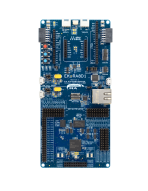
RA8D1 MCU 群组评估套件
EK-RA8D1 评估套件可通过瑞萨电子的灵活软件包 (FSP) 和 e2 studio IDE,帮助用户轻松评估 RA8D1 MCU 产品组的特性,并开发嵌入式系统应用程序。 用户可利用丰富的板载功能以及自选的热门生态系统插件来将丰富创意变为现实。
EK-RA8D1 套件由三块板组成:EK-RA8D1 板采用 RA8D1 MCU 和片上图形 LCD 控制器,MIPI 图形扩展板采用 4.5 英寸 TFT 彩色 LCD (480 x 854),带电容式触摸覆盖层,而摄像头扩展板则采用 300 万像素 CMOS 图像传感器。
入门
运行快速入门示例项目
- EK-RA8D1... 阅读详情
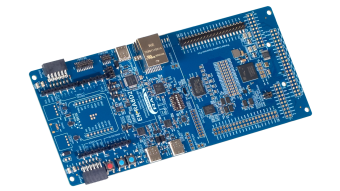
RA8D2 MCU 群组评估套件
EK-RA8D2 评估套件旨在用户能够轻松评估 RA8D2 MCU 功能,并使用瑞萨电子的灵活配置软件包 (FSP) 和 e2 studio IDE 开发嵌入式系统应用程序。 用户可以利用丰富的板载功能和选择流行的生态系统附加组件来实现广泛的应用,包括视觉 AI 和高端 HMI 应用。 为用户提供了一套示例项目包可供下载,能快速评估关键外设性能,从而加速概念验证开发进程。
该套件包含一个 7.0 英寸、1024x600 并行接口 LCD 板和一个 5百万像素摄像头模块。 套件中预装了展示 RA8D2 卓越性能的演示。 将 LCD 板和摄像头模块与 EK-RA8D2... 阅读详情
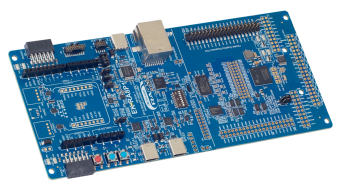
RA8P1 MCU 群组评估套件
EK-RA8P1 评估套件旨在用户能够轻松评估 RA8P1 MCU 功能,并使用瑞萨电子的灵活配置软件包 (FSP) 和 e2 studio IDE 开发嵌入式系统应用程序。 用户可以利用丰富的板载功能和选择常用的生态系统附加组件来实现广泛的应用程序,包括人工智能 (AI) 和物联网 (IoT)。 为用户提供了一套示例项目包可供下载,能快速评估关键外设性能,从而加速概念验证开发进程。
该套件包含一个 7.0 英寸、1024x600 并行接口 LCD 板和一个 5百万像素摄像头模块。 套件中预装了展示 RA8P1 卓越性能的演示。 将 LCD 板和摄像头模块与 EK-RA8P1... 阅读详情
Additional Details
Functions
Easy Settings for the Timing of Input Signals from Cameras
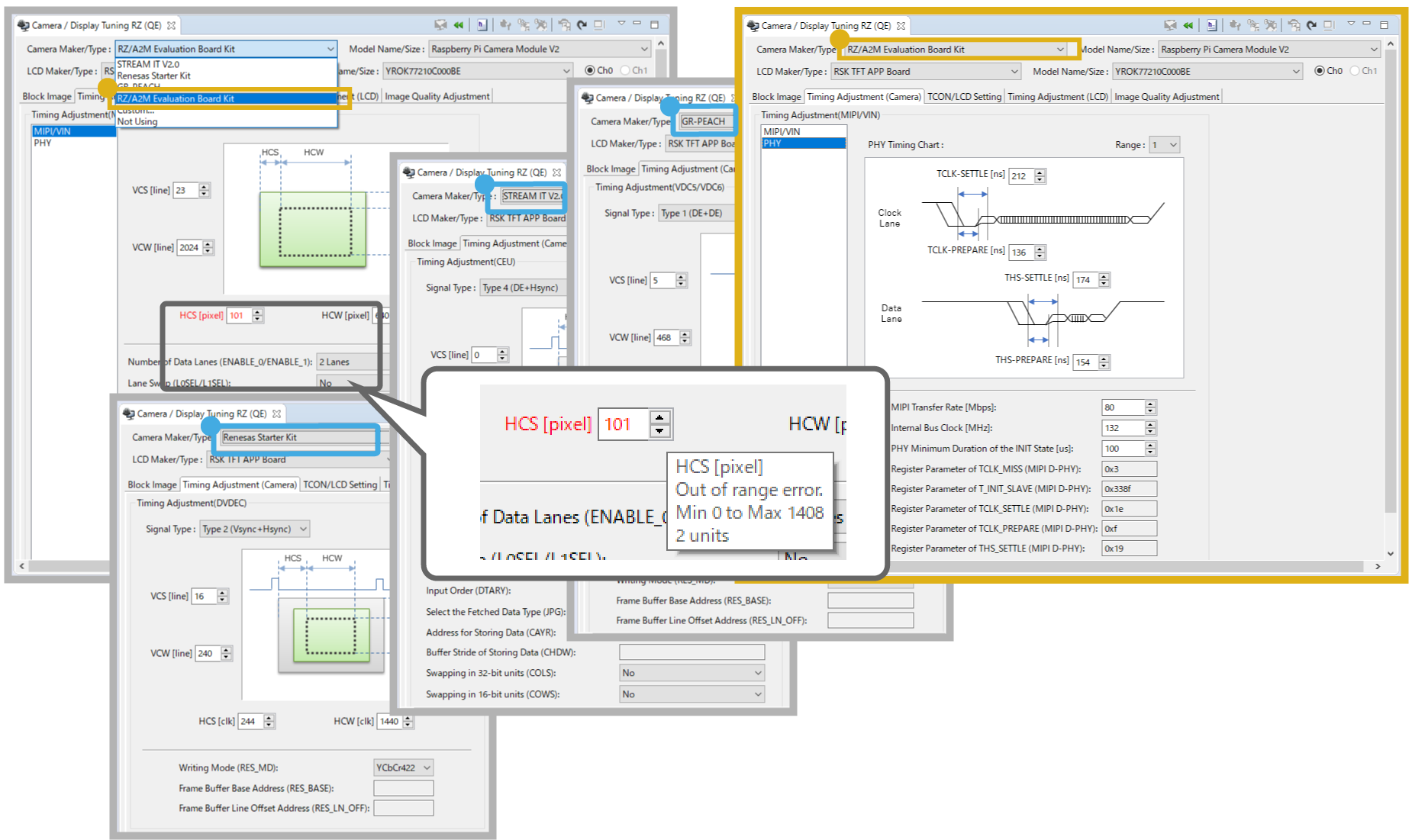
The GUI allows the easy adjustment of the timing settings of a camera during testing. GUI displays with appropriate settings for various RZ/A target boards or custom boards for development are set up by selecting a target board or setting custom board configurations (Note1). The settings corresponding to those in the GUI display are created in a header file for direct incorporation in projects. If the value of a setting is not in accordance with the MCU spec., it is marked as being in error. This makes it easy for users to identify problems.
Note
- Only the RZ/A2M supports MIPI-standard cameras.
Easy Alterations to the Operation of the Camera Module
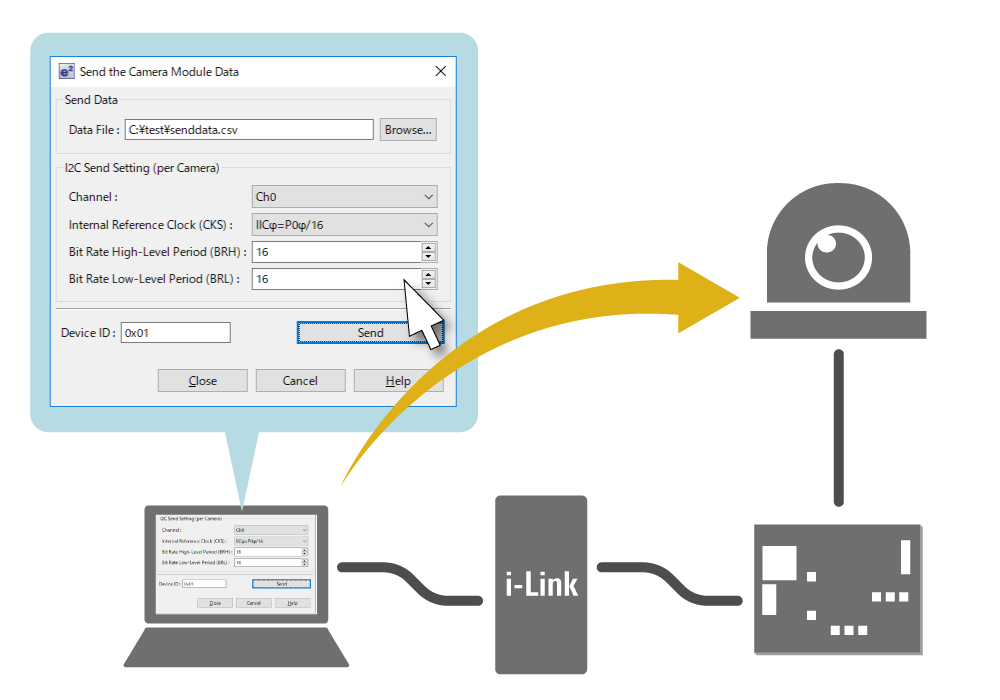
Operation settings such as the image format and capture size of the camera module to be connected can be specified by sending a parameter file (csv file) from QE for Camera.
Support for the Debugging of Images Captured by Cameras
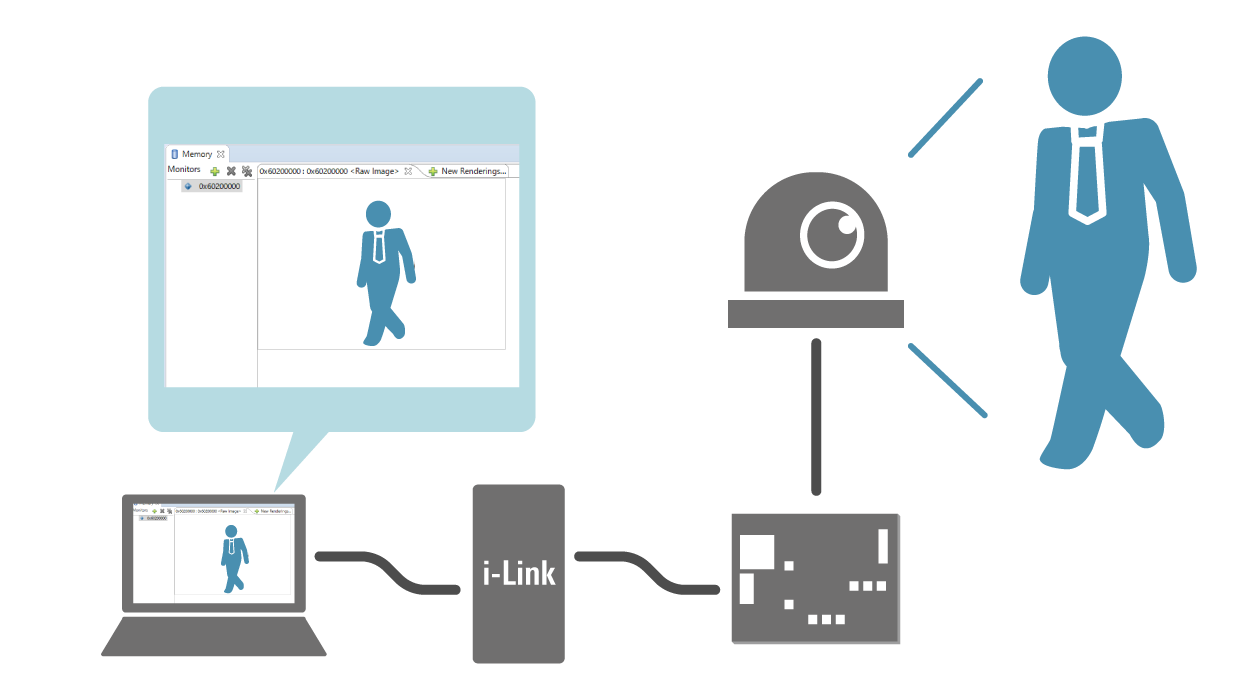
Even for a system that has no display device, such as a surveillance camera, interlinking with the in-memory image display function of the e² studio allows you to check images in the buffers for the VDC5.
Check the Results of the Settings on the Actual Camera & Display
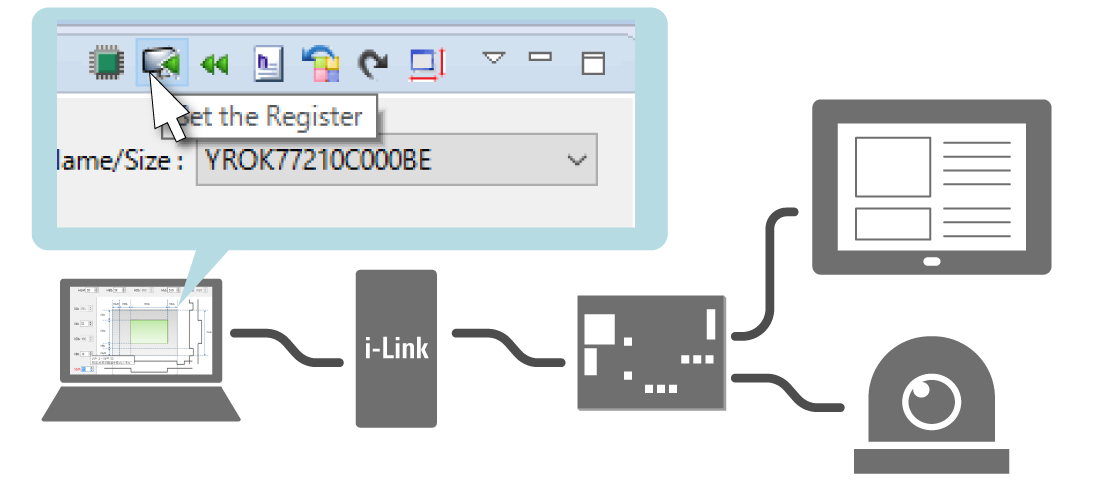
A single button press writes the current settings to registers, so you can check the results for the actual camera and LCD panel. This tool also has a mode for automatically writing the changes to registers every time a setting is changed.
Generate a Header File Which Reflects the Settings for Use in Projects
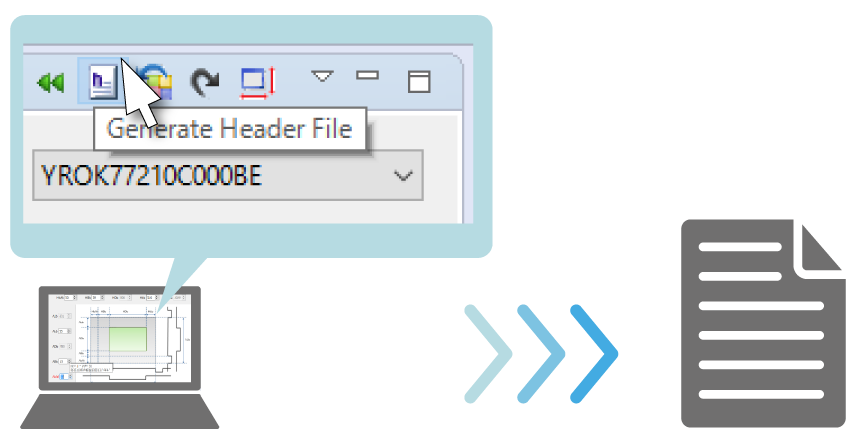
When you have finished the settings, the settings corresponding to those in the GUI display are created in a header file for direct incorporation in projects. QE for VDC5 can also operate in conjunction with the Supported Sample Programs.
Supported Sample Programs
| Product Name | Sample Program |
|---|---|
| QE for Camera[RZ] | RZ/A Software Development Kit RZ/A1H FreeRTOSSoftware Package, RZ/A1LU FreeRTOSSoftware Package, RZ/A2M FreeRTOSSoftware Package |


