
概述
描述
- The QE for Display[RX,RA] supports the new device RA8D2.
This development assistance tool supports the development of embedded systems which use the LCD display functions of display controllers from Renesas.
This product is available free of charge.
特性
- Dedicated View for Easy Settings of LCD Panel Timing
- Easy Slider-Based Adjustment of Image Quality Settings
- Check the Settings on the Actual Display
- Generate a Header File Which Reflects the Settings for Use in Projects
- Learn More
发布信息
| Product Name | Latest Ver. | Released | Target Device(Note1) | Details | Download(Note2) | Operating Environment |
|---|---|---|---|---|---|---|
| QE for Display[RZ] | V3.1.1 | 2020/04/07 | RZ Family | See Release Note | Download | Operating Environment |
| QE for Display[RX,RA] | V3.7.0 | 2025/10/22 | RA Family | See Release Note | Download | |
| RX Family | ||||||
| QE for Display[RX] Standalone Version | V3.4.0 | 2024/10/22 | RX Family |
Note
- For detailed support devices, refer to "Target Devices".
- For the plug-in version of QE for Display[RZ] and QE for Display[RX,RA], refer to "Installing this Product".
目标设备
下载
|
|
|
|
|---|---|---|
| 类型 | 文档标题 | 日期 |
| 软件和工具 - 软件 | QE for Display [RX,RA] V3.7.0: Development Assistance Tool for Display Applications
|
|
| 软件和工具 - 软件 | QE for Display [RZ] V3.1.1: Development Assistance Tool for Display Applications
|
|
| 软件和工具 - 其他 | QE for Display V1.3.0: Development Assistance Tool for Display
|
|
| 软件和工具 - 其他 | [technical preview version] QE for Video Display Controller 5 V2.0.0
|
|
4 项目
|
||
文档
|
|
|
|
|---|---|---|
| 类型 | 文档标题 | 日期 |
| 发行说明 |
PDF
1.88 MB
日本語
QE for Display[RX,RA] and QE for Camera[RA] allow for easy initial adjustment of display connection (display timing adjustment and image quality adjustment) and create GUI. It also allows for easy initial adjustment of camera image capture (the size and starting position of the image capture) and display it on LCD. This shortens the development period. This document describes this product installation, restrictions and so on.
|
|
| 发行说明 |
PDF
367 KB
日本語
QE for Camera[RZ] and QE for Display[RZ] are one of several Solution Toolkit which operate under the e2 studio integrated development environment. In development of embedded systems using Video Display Controller 5,6 (VDC5,6) installed in the MCUs of the RZ/A series, this product facilitates easy initial adjustment of the camera and display connection and camera module settings, thus, reducing development time.This document describes this product installation, restrictions and so on.
|
|
| 应用说明 |
PDF
793 KB
日本語
This package provides a sample program for the Video Display Controller 5 on the RZ/A1H that works with QE for Video Display Controller 5. It enables GUI-based display timing configuration, header generation, and real-time adjustment to simplify display device connection, evaluation, and bring-up.
|
|
| 应用说明 |
PDF
551 KB
日本語
This application note explains the QE for Display module, which uses Firmware Integration Technology (hereinafter, “FIT”). This module is used for GLCDC adjustment by using the standalone version of QE for Display[RX] (hereinafter, “QE for Display”).
|
|
| 发行说明 | RZ/A1LU Group RZ/A1LU Software Package
|
|
| 传单 | PDF 797 KB English , 日本語 | |
| 工具新闻 - 发布公告 |
PDF
153 KB
日本語
This is the Tool News announcing the revision upgrade to QE for Display [RX,RA] V3.7.0, Development Assistance Tool for Display Applications.
QE for Display [RX,RA] is a development assistance tool that supports the development of embedded systems using the LCD display functions of display controllers from Renesas.
With this revision upgrade, the tool now supports the new device RA8D2.
|
|
| 工具新闻 - 注意事项 | PDF 153 KB 日本語 | |
| 工具新闻 - 发布公告 | PDF 152 KB 日本語 | |
| 发行说明 | PDF 1.04 MB 日本語 | |
| 应用说明 |
PDF
6.21 MB
日本語
AI 生成的摘要:
The standalone version of QE for Display [RX] enables graphical creation and real-time adjustment of LCD projects using IAR Embedded Workbench for Renesas RX. It integrates the high-performance emWin GUI library for efficient and reliable embedded GUI design. The tool supports various RX devices and development kits, simplifying display control, timing adjustment, and GUI creation through a graphical interface. It also links with Smart Configurator and Firmware Integration Technology (FIT) modules to streamline driver embedding and middleware use. The development flow includes project creation, clock and component settings, display adjustment, GUI design with AppWizard, and header file generation for GLCDC configuration.
|
|
| 工具新闻 - 发布公告 | PDF 335 KB 日本語 | |
| 发行说明 | PDF 697 KB 日本語 | |
| 工具新闻 - 发布公告 | PDF 169 KB 日本語 | |
| 发行说明 | PDF 364 KB 日本語 | |
| 工具新闻 - 注意事项 | PDF 188 KB 日本語 | |
| 工具新闻 - 发布公告 | PDF 176 KB 日本語 | |
| 发行说明 | PDF 342 KB 日本語 | |
| 工具新闻 - 发布公告 | PDF 266 KB 日本語 | |
| 发行说明 | PDF 471 KB 日本語 | |
| 发行说明 | PDF 176 KB 日本語 | |
| 工具新闻 - 注意事项 | PDF 40 KB 日本語 | |
| 应用说明 |
PDF
2.77 MB
日本語
AI 生成的摘要:
QE for Display [RX,RA] enables graphical interface development for embedded systems using Renesas RX microcontrollers with serially connected LCDs, supporting emWin and Aeropoint GUI middleware. It integrates with e2 studio, Smart Configurator, and Firmware Integration Technology (FIT) modules to simplify GUI creation, display control, and system development flow. The tool supports various RX family starter kits and target boards, facilitating efficient GUI design with AppWizard and PowerPoint-based Aeropoint GUI. It covers from initial display setup to project building, debugging, and execution, enabling high-performance, memory-efficient GUI solutions on microcontrollers without graphic LCD controllers.
|
|
| 发行说明 | PDF 180 KB 日本語 | |
| 工具新闻 - 发布公告 | PDF 271 KB 日本語 | |
| 发行说明 | PDF 247 KB 日本語 | |
| 工具新闻 - 注意事项 | PDF 126 KB 日本語 | |
| 应用说明 |
PDF
7.22 MB
日本語
AI 生成的摘要:
QE for Display [RX] provides a graphical interface for display control supporting Renesas RX microcontrollers, enabling efficient embedded system development with display devices. It supports emWin and Aeropoint GUI middleware for flexible GUI creation. The tool simplifies display adjustment, timing control, and GUI design using AppWizard or PowerPoint, reducing development time. It integrates with Smart Configurator and Firmware Integration Technology (FIT) modules for GLCDC, emWin, and Aeropoint GUI, facilitating seamless system development and display control on RX65N, RX651, RX72N, RX72M, and RX66N groups.
|
|
| 发行说明 | PDF 264 KB 日本語 | |
| 工具新闻 - 发布公告 | PDF 353 KB 日本語 | |
| 发行说明 | PDF 550 KB 日本語 | |
| 工具新闻 - 发布公告 | PDF 166 KB 日本語 | |
| 应用说明 |
PDF
2.17 MB
日本語
AI 生成的摘要:
The document provides a comprehensive guide for developing embedded systems with graphical displays using QE for Display [RX] and Renesas RX microcontrollers. It details initializing and configuring the graphics LCD controller (GLCDC) through a sample program, enabling quick setup without deep GLCDC specification knowledge. The workflow includes project creation, Smart Configurator settings, program development, real-time display adjustment, and header file generation. It supports RX65N, RX651, RX72N, RX72M, and RX66N groups and covers hardware configuration, software settings, and integration with the Smart Configurator and Firmware Integration Technology (FIT). The document also explains adapting the sample program to different environments and provides step-by-step procedures for execution and adjustment.
|
|
| 发行说明 | PDF 136 KB 日本語 | |
| 工具新闻 - 发布公告 | PDF 111 KB 日本語 | |
| 工具新闻 - 发布公告 | PDF 142 KB 日本語 | |
| 工具新闻 - 发布公告 | PDF 240 KB 日本語 | |
| 发行说明 | PDF 174 KB 日本語 | |
| 工具新闻 - 发布公告 | PDF 138 KB 日本語 | |
39 项目
|
||
设计和开发
样例程序
样例程序
筛选
|
||
|---|---|---|
| 类型 | 文档标题 | 日期 日期 |
| 示例代码 | RZ/A1H Group QE for Video Display Controller 5 Sample Program Rev.1.01
This package provides a sample program for the Video Display Controller 5 on the RZ/A1H that works with QE for Video Display Controller 5. It enables GUI-based display timing configuration, header generation, and real-time adjustment to simplify display device connection, evaluation, and bring-up.
|
|
| 示例代码 | RX Family QE for Display Module Firmware Integration Technology Rev.1.12 - Sample Code
[Software=RX Driver Package|V1.50],[Toolchains=CC-RX|V3.07.00;GNURX|14.02.00.202511;IAR Compiler for RX|v.5.20.1]
ZIP
2.40 MB
Compiler:
CC-RX, GNURX, ICCRX
Function:
Driver or Library
IDE:
CS+ for CC, e2 studio, IAR EWRX
|
|
| 示例代码 | RZ/A1LU Group RZ/A1LU Software Package
[Software=RZ FreeRTOS Software Package|v3.40],[Toolchains=GNU Arm Embedded|V12.2.Rel1;IAR Compiler for Arm|v.9.40.2]
ZIP
80.89 MB
应用:
工业, 消费电子产品
Compiler:
GNU ARM Embedded, ICCARM
Function:
Application Example, BSP, HMI, I/O or Pin, Memory, OS, Other peripherals, Software Package, Timer
IDE:
e2 studio, IAR EWARM
|
|
| 示例代码 | RX Family QE for Display [RX] Application Note Rev.1.21 - Sample Code
|
|
| 示例代码 | RX Family QE for Display [RX] V1.1.0 Sample Program - Sample Code
|
|
5 项目
|
||
相关评估板和套件
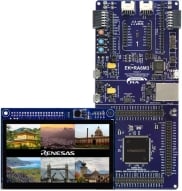
具备图形扩展板的 RA6M3 MCU 群组评估套件
EK-RA6M3G 评估套件可通过瑞萨电子的灵活软件包(FSP) 和 e2 studio IDE,帮助用户轻松评估 RA6M3 MCU 产品组的特性,并开发嵌入式系统应用程序。 您可利用丰富的板载功能,以及选择热门生态系统插件将丰富创意变为现实。
EK-RA6M3G 套件由两块板组成:EK-RA6M3 板采用 RA6M3 MCU 和片上图形 LCD 控制器,图形扩展板采用 4.3 英寸 TFT 彩色 LCD,带电容式触摸覆盖层。
入门指南
运行快速入门示例项目
- EK-RA6M3 板具有预先编程过的快速入门示例项目(包含在示例项目包中)。
- 将图形扩展板连接至 EK-RA6M3... 阅读详情
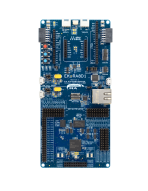
RA8D1 MCU 群组评估套件
EK-RA8D1 评估套件可通过瑞萨电子的灵活软件包 (FSP) 和 e2 studio IDE,帮助用户轻松评估 RA8D1 MCU 产品组的特性,并开发嵌入式系统应用程序。 用户可利用丰富的板载功能以及自选的热门生态系统插件来将丰富创意变为现实。
EK-RA8D1 套件由三块板组成:EK-RA8D1 板采用 RA8D1 MCU 和片上图形 LCD 控制器,MIPI 图形扩展板采用 4.5 英寸 TFT 彩色 LCD (480 x 854),带电容式触摸覆盖层,而摄像头扩展板则采用 300 万像素 CMOS 图像传感器。
入门
运行快速入门示例项目
- EK-RA8D1... 阅读详情
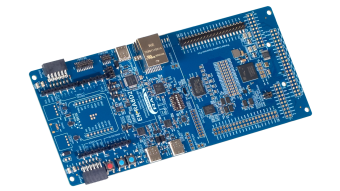
RA8D2 MCU 群组评估套件
EK-RA8D2 评估套件旨在用户能够轻松评估 RA8D2 MCU 功能,并使用瑞萨电子的灵活配置软件包 (FSP) 和 e2 studio IDE 开发嵌入式系统应用程序。 用户可以利用丰富的板载功能和选择流行的生态系统附加组件来实现广泛的应用,包括视觉 AI 和高端 HMI 应用。 为用户提供了一套示例项目包可供下载,能快速评估关键外设性能,从而加速概念验证开发进程。
该套件包含一个 7.0 英寸、1024x600 并行接口 LCD 板和一个 5百万像素摄像头模块。 套件中预装了展示 RA8D2 卓越性能的演示。 将 LCD 板和摄像头模块与 EK-RA8D2... 阅读详情
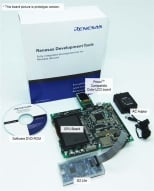
Renesas Starter Kit+ for RX65N-2MB
The Renesas Starter Kit+ for RX65N-2MB is the perfect starter kit for developers who are new to the RX65N (Code Flash 2MB, Pin Count 176-pin). The kit includes an LCD display module, on-chip debugging emulator, and integrated development environment so you can start evaluating the RX65N... 阅读详情
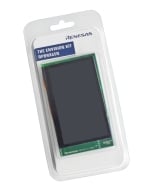
RX65N Envision 套件
Envision 套件可快速便捷地评估 RX65N 微控制器系列,该系列是下一代低成本人机界面(HMI)项目的理想选择。 此外,通过预装的演示程序,RX65N Envision 套件还可让您体验:利用 RX65N 微控制器全新双存储区闪存功能进行固件更新、使用 LCDC 和 2D 绘图引擎实现的图形性能,以及更多其他功能。
瑞萨电子为您提供开发自有板卡和演示程序所需的一切,例如板卡电路图和演示源代码,因此该套件可作为您开发产品的样本。 随附的板载仿真器使您无需外部 E1/E2 Lite 即可设计自己的应用程序。 将此网页下载的固件写入 USB 存储棒,您就可以在演示期间重写板上的固件... 阅读详情
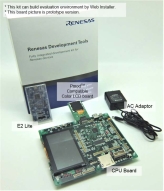
Renesas Starter Kit+ for RX72N
Renesas Starter Kit+ for RX72N is the perfect starter kit for getting started with RX72N (code flash 4MB, pin number 224-pin). LCD display module and on-chip debugging emulator are attached. The integrated development environment is provided on Renesas Web, so you can start evaluating the RX72N... 阅读详情
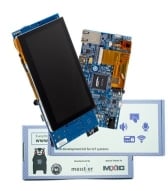
RX72N Envision 套件
RX72N Envision 套件搭载了来自 32 位 RX 系列的旗舰级 RX72N 微控制器,支持使用 LCD 创建 GUI,还可进行语音输入/输出等 HMI 开发以及使用 Wi-Fi、低功耗蓝牙(Bluetooth® Low Energy)、以太网等进行物联网设备开发。 借助预装的演示和仿真调试电路,该套件可实现即时上手体验和快速开发。
演示固件
通过预装的固件更新功能,可将固件写入 microSD 卡进行更新。 此外,最新版本的固件和源代码发布在 GitHub 站点上。
远程测试该板卡
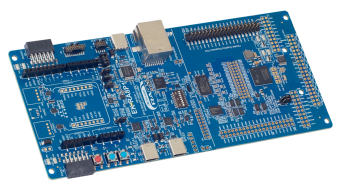
RA8P1 MCU 群组评估套件
EK-RA8P1 评估套件旨在用户能够轻松评估 RA8P1 MCU 功能,并使用瑞萨电子的灵活配置软件包 (FSP) 和 e2 studio IDE 开发嵌入式系统应用程序。 用户可以利用丰富的板载功能和选择常用的生态系统附加组件来实现广泛的应用程序,包括人工智能 (AI) 和物联网 (IoT)。 为用户提供了一套示例项目包可供下载,能快速评估关键外设性能,从而加速概念验证开发进程。
该套件包含一个 7.0 英寸、1024x600 并行接口 LCD 板和一个 5百万像素摄像头模块。 套件中预装了展示 RA8P1 卓越性能的演示。 将 LCD 板和摄像头模块与 EK-RA8P1... 阅读详情
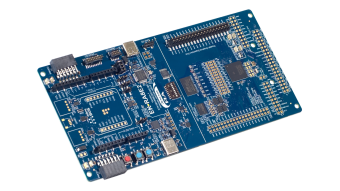
RA8E2 MCU 群组评估套件
EK-RA8E2 评估套件可通过瑞萨电子的灵活软件包 (FSP) 和 e2 studio IDE,帮助用户轻松评估 RA8E2 MCU 产品组的特性,并开发嵌入式系统应用程序。 用户可利用丰富的板载功能,以及选择热门生态系统插件将丰富创意变为现实。
EK-RA8E2 板搭载 RA8E2 MCU、OSPI 闪存、SDRAM、CAN FD 以及并行图形扩展端口。
探索
视频和培训
In this video, we will show you how to create a new project and the procedure for workflow step 1: preparation in QE for Display [RX,RA].
Related Videos
Additional Details
Features
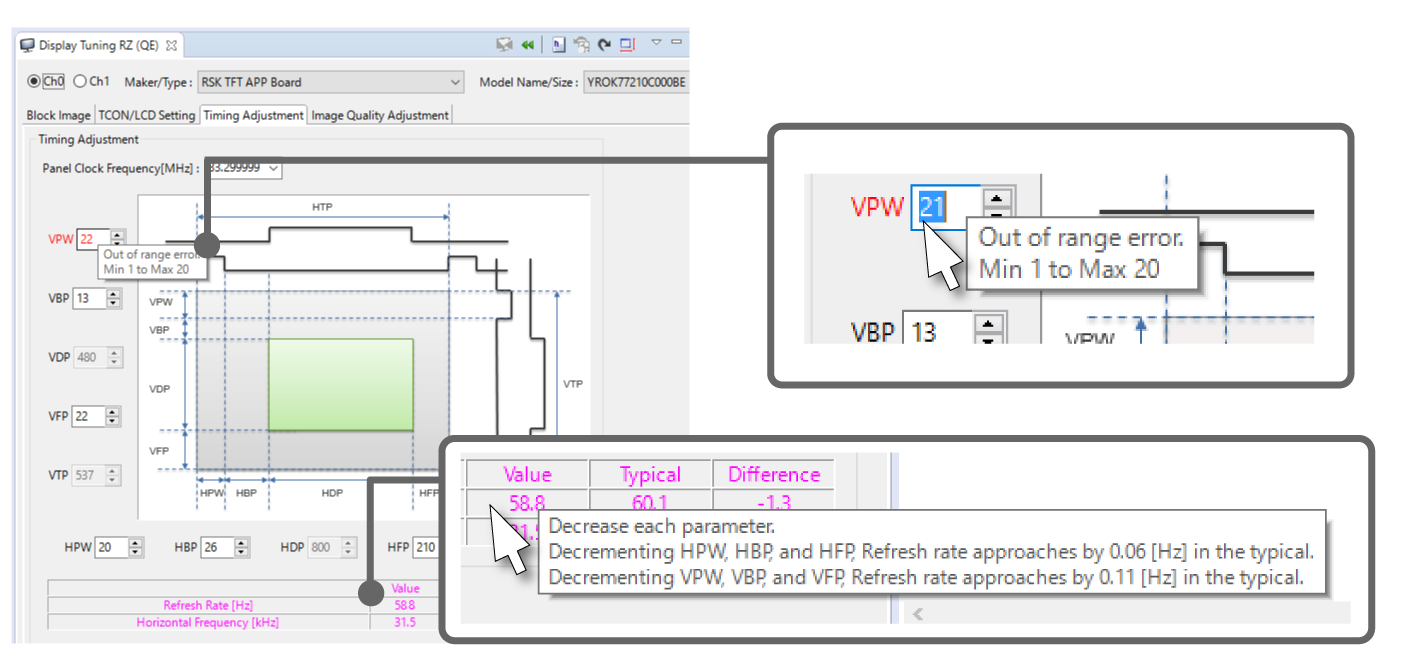
Dedicated View for Easy Settings of LCD Panel Timing
Timing settings which match the refresh rate specification of the display are easy to obtain while checking the results on the actual display. Settings that are not in accord with the requirements of the LCD spec. are marked as being in error, so the user is easily able to identify problems.
(refer to the Note1)
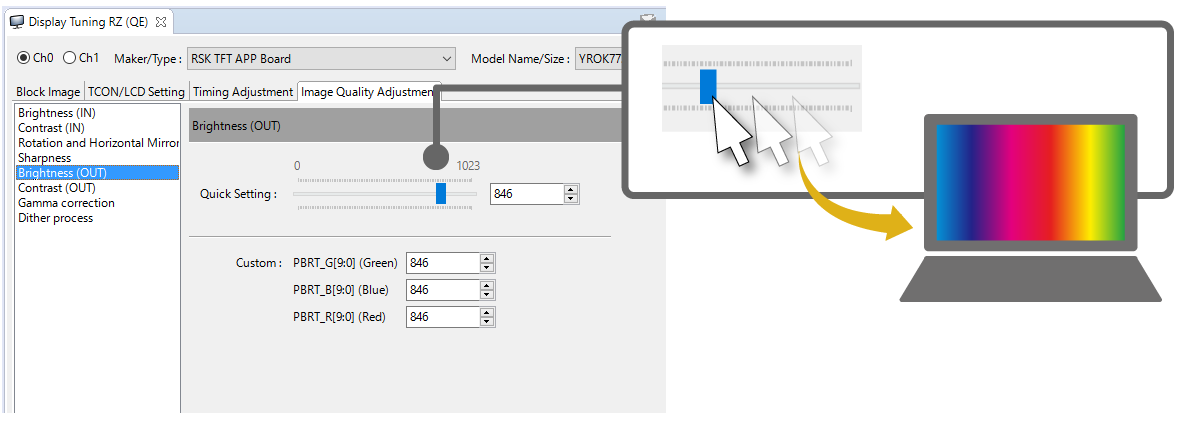
Easy Slider-Based Adjustment of Image Quality Settings
This tool supports various functions for adjusting image quality. You can easily adjust the images while checking the actual display. QE for Display[RZ] supports the adjustment of brightness, contrast, sharpness, gamma correction, and dithering, as well as the rotation and mirroring of images. QE for Display[RX] supports processing to make the settings in a sequence of processing through settings for calibration, brightness, contrast, gamma correction, and then dithering.
(refer to the Note1)
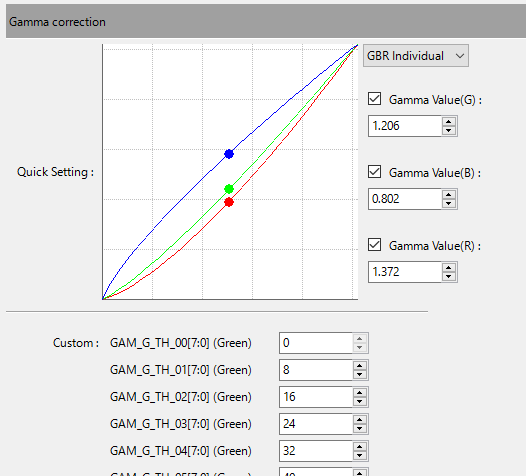
The dedicated GUI makes setting complex gamma correction easy.
Checking the handy block diagram helps you to move around the settings screen without becoming confused.
(refer to the Note1)

Check the Settings on the Actual Display
A single button press writes the current settings to registers, so you can check the results on the actual LCD panel. This tool also has a mode for automatically writing the changes to registers every time a setting is changed.
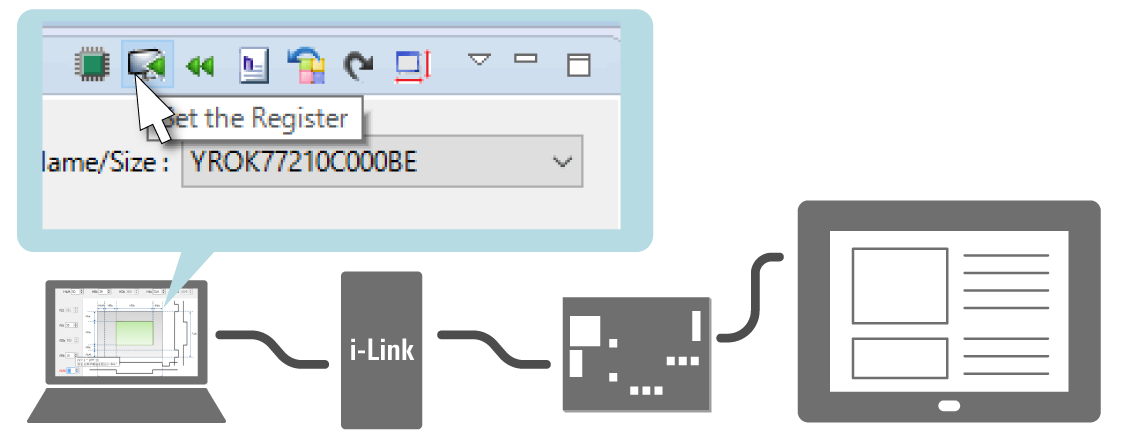
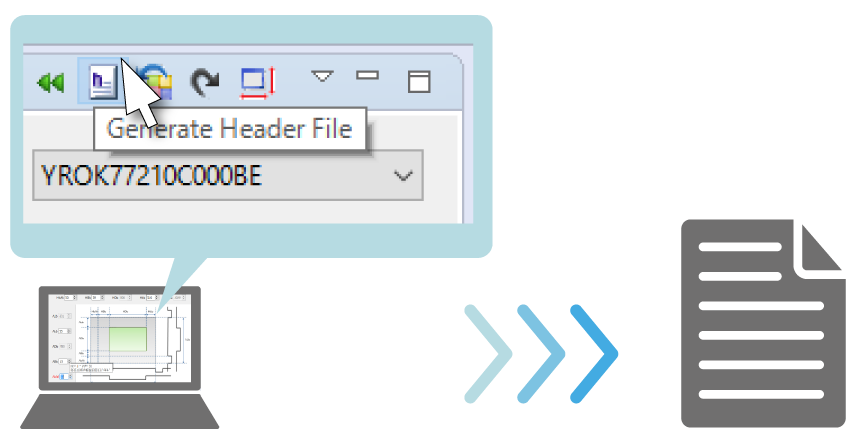
Generate a Header File Which Reflects the Settings for Use in Projects
When you have finished the settings, the settings corresponding to those in the GUI display are created in a header file for direct incorporation in projects. QE for Display can also operate in conjunction with the Supported Sample Programs.
Note
- The screenshots are from the version for the RZ family.
Support for two types of graphics library and creation of rich GUI windows
The emWin graphics library and AppWizard from SEGGER can be used to create GUIs for the devices of the RX or RA family equipped with a graphics LCD controller (GLCDC). CRI Aeropoint® GUI and Microsoft PowerPoint® can be used to create GUIs for the devices of the RX family equipped with a GLCDC.
Devices of the RX family without a GLCDC can display a GUI on an LCD through a serial connection. To create a GUI in such cases, use the emWin graphics library and AppWizard from SEGGER.
| Device | GLCDC | GUI library/middleware | Supported devices |
|---|---|---|---|
| RA Family | ✓ | emWin | RA6M3, RA8D1, RA8D2, RA8E2, RA8P1 |
| RX Family | ✓ (Note2) | emWin Aeropoint® GUI | RX651 (ROM size: 1.5 MB to 2 MB), RX65N (ROM size: 1.5 MB to 2 MB), RX66N, RX72M (100-pin products not supported), and RX72N |
| — (Note3) | emWin | RX110 RX111 RX113 RX130 RX13T RX140 RX210 RX231 RX23E-A RX23W RX24T RX24U RX261 RX26T RX64M RX651 RX65N RX660 RX66N RX66T RX671 RX71M RX72M RX72N RX72T |
Note
2. RX Family QE for Display [RX] Application Note
3. RX Family QE for Display GUI Display Application Development Guide using Serial Connection LCD
Supported Sample Programs
| Product Name | Sample Program |
|---|---|
| QE for Display[RZ] | RZ/A Software Development Kit RZ/A1H FreeRTOSSoftware Package, RZ/A1LU FreeRTOSSoftware Package, RZ/A2M FreeRTOSSoftware Package |
Supported Driver and Middleware
The FIT modules listed in the table below are available for use with QE for Display[RX] and drivers can be added and pin functions assigned in cooperation with the Smart Configurator. For details, refer to the help information on QE for Display[RX].
| Device | Driver | Version |
|---|---|---|
| RA Family | SEGGER emWin Port Flexible Software Package(FSP) component for RA Family Module name: rm_emwin_port | v6.2.0 |
| Graphics LCD Controller Flexible Software Package(FSP) component for RA Family Module name: r_glcdc | v6.2.0 | |
| RX Family | RX Family emWin v6.34 Module Using Firmware Integration Technology Module name: r_emwin_rx | v1.20 |
| RX Family Aeropoint Module Using Firmware Integration Technology Module name: r_aeropoint_rx | v1.00 | |
| RX Family Graphic LCD Controller Module Using Firmware Integration Technology Module name: r_glcdc_rx | v1.60 | |
| RX Family QE for Display Module Using Firmware Integration Technology Module name: r_qe_display_rx | v1.10 |


