
概览
描述
[Notes] Renesas Emulator and Flash Memory Programmer Products with a USB Interface Notice Regarding Changes to Windows Driver Policy (PDF | English, 日本語)
USB driver for countermeasures (For E2, E2Lite, and IE850A only)
Topics
- The E2 emulator Lite supports the new device RX14T.
The E2 emulator Lite (abbreviated as "E2 Lite") is an on-chip debugging emulator and flash programmer for MCUs of the RX, RA, RL78 families and RISC-V MCU.
The E2 Lite offers basic debugging facilities at a low price and is also usable for actual development. This emulator is suitable for various purposes, ranging from education and initial evaluation to professional development.
You can also use the E2 Lite with optional products for the E1 emulator (such as the hot-plug adapter).
Refer to the respective links for more information below
Components | Optional Products (Cables sold separately, etc)
特性
- Affordable yet powerful debugger functionality that meets actual development needs
Learn more about the on-chip debugger functionality - Optional products that will shorten your debugging periods
We offer various optional products including a hot-plug adapter, which can be used to connect the E2 Lite to a user system even while the system is running a program.
- Also usable as an on-board programmer
You can use the E2 Lite as an on-board programmer on completion of debugging. This will enable smoother evaluation of the MCU in stand-alone operation. - Supports serial, JTAG, and SWD communications interfaces
The E2 Lite can be connected to the MCU through a serial, JTAG, or SWD communications interface. - Learn More
发布信息
See the latest Release Information of MCUs.
RA Family RL78 Family RX Family RISC-V MCU
*Please contact Renesas sales division for RE Family.
Release Information for RA Family
| Purpose of use | Software to be used | Latest Version | Released | Operating Environment |
|---|---|---|---|---|
| On-chip Debugging | e² studio | (64-bit version) 2025-10 | Oct. 20, 2025 | Operating Environment |
| (32-bit version) V7.8.0 | Apr. 20, 2020 | |||
| Arm Keil MDK cloud_download Renesas RA family E2 Lite Debug Driver for Keil uVision V1.00 (ZIP | English, 日本語) required. | A tool produced by Partner. For the details of Keil MDK, contact Arm directly | |||
| Flash Programming | Renesas Flash Programmer V3 | V3.21.00 | Oct. 20, 2025 | Operating Environment |
Please be aware that a User-system interface cable will need to be purchased separately to support RA device debug with E2 Lite using either 20-20 pins or 20-10 pins. Please see Optional Products for RA Family for details.
Release Information for RL78 Family
| Purpose of use | Software to be used | Latest Version | Released | Operating Environment |
|---|---|---|---|---|
| On-chip Debugging | CS+ (CS+ for CC) | V8.14.00Note1 | Jul. 22, 2025 | Operating Environment |
| e² studio | (64-bit version) 2025-10 | Oct. 20, 2025 | ||
| (32-bit version) V7.8.0 | Apr. 20, 2020 | |||
| IAR Embedded Workbench | A tool produced by Partner. For the details of support for E2 Lite, contact IAR Systems directly. | |||
| Flash Programming | Renesas Flash Programmer V3 | V3.21.00 | Oct. 20, 2025 | Operating Environment |
Release Information for RX Family
| Purpose of use | Software to be used | Latest Version | Released | Operating Environment |
|---|---|---|---|---|
| On-chip Debugging | CS+ (CS+ for CC) | V8.14.00Note1 | Jul. 22, 2025 | Operating Environment |
| e² studio | (64-bit version) 2025-10 | Oct. 20, 2025 | ||
| (32-bit version) V7.8.0 | Apr. 20, 2020 | |||
| IAR Embedded Workbench | A tool produced by Partner. For the details of support for E2 Lite, contact IAR Systems directly. | |||
| Flash Programming | Renesas Flash Programmer V3 | V3.21.00 | Oct. 20, 2025 | Operating Environment |
Release Information for RISC-V MCU
| Purpose of use | Software to be used | Latest Version | Released | Operating Environment |
|---|---|---|---|---|
| On-chip Debugging | e² studio | (64-bit version) 2025-10 | Oct. 20, 2025 | Operating Environment |
| Flash Programming | Renesas Flash Programmer V3 | V3.21.00 | Oct. 20, 2025 |
Please be aware that a User-system interface cable will need to be purchased separately to support RA device debug with E2 Lite using either 20-20 pins or 20-10 pins. Please see Optional Products for RISC-V MCU for details.
FAQ
目标设备
Target Family
Please be aware that a User-system interface cable will need to be purchased separately to support RA device debug with E2 Lite using either 20-20 pins or 20-10 pins. Please see Optional Products for RA Family or Optional Products for RISC-V MCU for details.
下载
|
|
|
|
|---|---|---|
| 类型 | 文档标题 | 日期 |
| 升级 - 调试器 | Renesas RA family E2 Lite Debug Driver for Keil uVision V1.10
|
|
| 软件和工具 - 其他 | E2 emulator, E2 emulator Lite Linux driver
|
|
| 软件和工具 - 其他 | E2 Lite Self-Checking Program V.1.00.00
|
|
| 升级 - IDE | USB Driver for Renesas MCU Tools V2.77.00 (for 64-bit version of Windows OS)
|
|
| 升级 - IDE | USB Driver for Renesas MCU Tools(E2,E2 Lite,IE850,IE850A,PG-FP5) V2.77.00(for 32-bit version of Windows OS)
|
|
|
5 项目
|
||
文档
|
|
|
|
|---|---|---|
| 类型 | 文档标题 | 日期 |
| 传单 | PDF 237 KB English , 日本語 | |
| 手册 - 开发工具 | PDF 842 KB 日本語 | |
| 工具新闻 - 注意事项 |
PDF
341 KB
日本語
This notice provides important information regarding the use of Renesas emulator products and flash memory programmer products equipped with a USB interface, as outlined below.
1. Products Not Affected by the Windows Driver Policy Change
2. Impact of the Windows Driver Policy Change on the E2 Emulator, E2 Emulator Lite, and IE850A, and Recommended Actions
3. Impact of the Windows Driver Policy Change on Other Emulator Products and Flash Memory Programmer Products
|
|
| 手册 - 开发工具 |
PDF
230 KB
日本語
This is a feature list summarizing the capabilities of Renesas' on-chip debuggers for each microcontroller. For the E2 Emulator, E2 Emulator Lite, E1 Emulator, E20 Emulator, MINICUBE2, E10A-USB, and E8a on-chip debuggers, it details the debugging capabilities supported for each corresponding microcontroller, including connection methods, break functions, trace functions, and more.
|
|
| 手册 - 开发工具 |
PDF
2.28 MB
日本語
This is the user's manual for the user-system interface cable used to connect the E2 emulator to the 20-pin connector on the target board. This cable can also be used with the E2 emulator Lite and PG-FP6, and is included as standard with the E2 emulator. This manual describes the appearance, package contents, specifications, and usage instructions.
|
|
| 手册 - 开发工具 |
PDF
2.26 MB
日本語
This is the user's manual for the user-system interface cable used to connect the E2 emulator to the 10-pin connector on the target board. This cable can also be used with the E2 emulator Lite and PG-FP6. This manual contains information on the appearance, package contents, specifications, and usage.
|
|
| 应用说明 |
PDF
1.19 MB
日本語
This application note describes a library for controlling external flash memory connected to an RAmicrocontroller (hereafter referred to as “MCU”). By using the library introduced in this document, you canperform write and debug operations on the. external flash memory through an on-chip debugging emulator.
A sample project named “r20an0822ref0100-ra-refl.zip” (hereinafter referred to as “the Sample Project”) isavailable to facilitate the use of External Flash Library
|
|
| 工具新闻 - 注意事项 | PDF 154 KB 日本語 | |
| 工具新闻 - 注意事项 | PDF 209 KB 日本語 | |
| 应用说明 |
PDF
1.87 MB
日本語
AI 生成的摘要:
This document explains how to port projects from CS+ to e2 studio for the Renesas RX family using emulators such as E2 Lite, E2, and E20. It details the differences in emulator settings, connection configurations, and debugging operations within e2 studio. Users learn how to open CS+ projects in e2 studio, configure emulator connections via the Debug Configurations window, and manage target devices. The document covers debugging features including breakpoints, tracing, memory and register manipulation, and performance measurements, facilitating smooth migration and effective debugging in the e2 studio environment.
|
|
| 应用说明 |
PDF
1.05 MB
日本語
AI 生成的摘要:
The hot plug-in function enables debugging of an RL78 microcontroller during system operation without resetting or modifying the program. It retains failure status, uses ID code authentication for security, and allows RAM monitoring via a dedicated Data Transfer Controller (DTC) without stopping the CPU. Debugging proceeds through Real-time RAM Monitor (RRM) and Dynamic Memory Modification (DMM), accessing RAM, SFRs, and other memory areas. The debugging procedure involves creating a program with hot plug-in initialization, setting build options, programming via Renesas Flash Programmer, connecting with the E1 emulator, and performing debugging.
|
|
| 工具新闻 - 注意事项 | PDF 259 KB 日本語 | |
| 工具新闻 - 推介工具 | PDF 864 KB 日本語 | |
| 工具新闻 - 通告 | PDF 502 KB 日本語 | |
| 工具新闻 - 发布公告 | PDF 205 KB 日本語 | |
| 手册 - 开发工具 | PDF 511 KB 日本語 | |
| 工具新闻 - 注意事项 | PDF 142 KB 日本語 | |
| 工具新闻 - 注意事项 | PDF 183 KB 日本語 | |
| 工具新闻 - 推介工具 | PDF 193 KB 日本語 | |
| 工具新闻 - 通告 | PDF 306 KB 日本語 | |
| 工具新闻 - 通告 | PDF 304 KB 日本語 | |
| 工具新闻 - 通告 | PDF 352 KB 日本語 | |
| 工具新闻 - 发布公告 | PDF 83 KB 日本語 | |
| 工具新闻 - 注意事项 | PDF 150 KB 日本語 | |
| 工具新闻 - 注意事项 | PDF 147 KB 日本語 | |
| 工具新闻 - 注意事项 | PDF 92 KB 日本語 | |
| 工具新闻 - 注意事项 | PDF 127 KB 日本語 | |
| 工具新闻 - 注意事项 | PDF 168 KB 日本語 | |
| 工具新闻 - 注意事项 | PDF 234 KB 日本語 | |
| 工具新闻 - 注意事项 | PDF 83 KB 日本語 | |
| 工具新闻 - 发布公告 | PDF 263 KB | |
| 手册 - 开发工具 | PDF 683 KB 日本語 | |
| 手册 - 开发工具 | PDF 327 KB 日本語 | |
| 手册 - 开发工具 | PDF 1.73 MB 日本語 | |
| 应用说明 |
PDF
573 KB
日本語
AI 生成的摘要:
The guide addresses common startup issues with the E1/E20 On-Chip Debugging Emulator. It explains warning messages about project file restoration due to version mismatches in CubeSuite+ and advises upgrading to the latest version. It highlights errors caused by missing CC-RX compiler installations and instructs users to install the compiler. The guide also details handling version differences in the CC-RX compiler, allowing debugging to continue if compatible or requiring version adjustments via the property panel.
|
|
| 手册 - 开发工具 | PDF 2.54 MB 日本語 | |
| 手册 - 开发工具 | PDF 178 KB 日本語 | |
| 手册 - 开发工具 | PDF 153 KB 日本語 | |
| 应用说明 |
PDF
525 KB
日本語
AI 生成的摘要:
The External Flash Definition Editor (EFE) enables creation of custom write programs for flash memory devices with unsupported command sets. Users customize sample C source programs, link header and library files, then create RFD and USD files for use with emulator software. The custom program must not exceed 8,192 bytes in memory size and 256 bytes in stack size. The development environment requires specific sample files, a suitable C/C++ compiler, and emulator tools.
|
|
| 手册 - 开发工具 | PDF 140 KB 日本語 | |
|
40 项目
|
||
设计和开发
样例程序
样例程序
筛选
|
||
|---|---|---|
| 类型 | 文档标题 | 日期 日期 |
| 示例代码 | [Notes] Renesas Emulator and Flash Memory Programmer Products with a USB Interface Notice Regarding Changes to Windows Driver Policy - Sample Code
|
|
| 示例代码 | RA Familly External Flash Library for tools
[Software=RA Flexible Software Package|v6.3.0],[Toolchains=GNU Arm Embedded|13.2.rel1]
ZIP
22 KB
Compiler:
GNU ARM Embedded
Function:
Debugging, Emulator, Memory, Programmer
IDE:
e2 studio
|
|
| 示例代码 | [Notes] On-chip Debuggers E2 emulator and E2 emulator Lite (RA Connection) - Sample Code
|
|
3 项目
|
||
产品选项
| Part Number | Status | Stock | Budgetary Price (USD) | Description |
|---|---|---|---|---|
| RTE0T00020KCAC0000J | Active | In Stock | 1ku | $25.88 | User-system Interface Cable for the E2 Emulator (20-20 pins) |
| RTE0T00020KCAC1000J | Active | In Stock | 1ku | $25.88 | User-system Interface Cable for the E2 Emulator(20-10 pins) |
| RTE0T0002LKCE00000R | Active | In Stock | 1ku | $60 | E2 Emulator Lite |
视频和培训
This video introduces optional products for the RX Family that support development with the E2 emulator and E2 emulator Lite. It covers conversion adapters for 14-pin to 38-pin and small connector formats, as well as a hot-plug adapter and isolator. These tools help ensure compatibility and signal stability across various debugging setups.
Additional Details
Specifications
Note that some functions shown here may not be supported under the IDE you use. Performance property and Connection system also vary depending on the MCU type.
| Item | Description |
|---|---|
| See On-Chip Debugger Functional Overview (PDF | English, 日本語). |
| On-board programming | SupportedNote1 |
| User interface | 14pin 2.54mm pitch connector (7614-6002: from 3M Japan, 2514-6002: from 3M Limited) 20pin 1.27mm pitch connector (FTSH-110-01-L-DV-K: from Samtec) 10pin 1.27mm pitch connector (FTSH-105-01-L-DV-K: from Samtec, FTSH-105-01-L-DV: from Samtec without a marking for matching the position of the connector; keying shroudNote2) |
| PC Interface | USB 2.0, full speed |
| Target board connection | Via attached user I/F cable (Connection signals vary by the target MCU type.) |
| Operating voltage range | 1.8V to 5.5V (depends on the target MCU) |
| Power supply from Emulator | Supply current: Up to 200mA, Supply voltage: 3.3V only |
| External dimension (Except the protruding parts) | 96.2 mm×52.7 mm×17.2 mm |
| Conformance with overseas standards | European Standards: EN 55022 Class A, EN 55024 US FCC Standard: FCC part 15 Class A |
Note:
- The E2 emulator Lite can support bit rates up to 1.5 Mbps. However, only bit rates which are selectable for the external clock of the target MCU or system of the RX family are displayed. Note that in some cases the bit rate selected for the E1 or E20 emulator will not be selectable.
- When using a connector without a guide marking (keying-shroud type), take care with regard to the direction for insertion of the cable.
Components
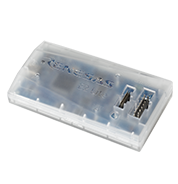
E2 emulator Lite body
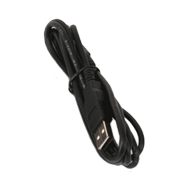
USB interface cable
*Bundled
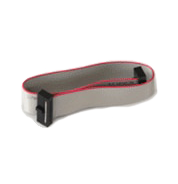
User system interface cable 14-14 pins
*Bundled
Please be aware that a User-system interface cable will need to be purchased separately to support RA device and RISC-V MCU device debug with E2 Lite using either 20-20 pins or 20-10 pins. Please see Optional Products for RA Family or Optional Products for RISC-V MCU for details.
Purchasing FAQ : Which user-system interface cable should be purchased when introducing an emulator? (E2 Lite/E2)
System Configuration
Refer to the Release Information in this page for information of software on PC.
Note
- Optional products
Optional Products(Sold Separately)
The following optional products are provided to facilitate the use of the E2 emulator Lite in various ways. Please check which products are supported by your MCU.
RA Family RL78 Family RX Family RISC-V MCU
- Please contact Renesas sales division for RE Family.
- Please read references to "E1 emulator" in the manuals for optional products as also meaning "E2 emulator Lite".
Optional Products for RA Family
| Type | Description | Product name / Manual |
|---|---|---|
| User-system Interface Cable | This cable is used to connect the E2 emulator. It can also be used for the E2 emulator Lite and PG-FP6. | User-system Interface Cable for the E2 Emulator (20-20 pins) RTE0T00020KCAC0000J RTE0T00020KCAC0000J User's Manual User-system Interface Cable for the Emulator (20-20 pins) (PDF | English, 日本語) |
| User-system Interface Cable for the E2 Emulator (20-10 pins) RTE0T00020KCAC1000J RTE0T00020KCAC1000J User's Manual User-system Interface Cable for the Emulator(20-10 pins) (PDF | English, 日本語) | ||
| Isolator | Enables debugging in environments where the grounds of the user system and the host PC are not the same. | Isolator for the E2 Emulator (E2 Emulator Lite) of RA/RE RTE0T00020KCAA0000J RTE0T00020KCAA0000J User's Manual (Isolator for E2 Emulator) (PDF | English, 日本語) |
Optional Products for RL78 Family
| Type | Description | Product name / Manual |
|---|---|---|
| Conversion Adapter | Converts the number and pitch of pins of the connector for connecting the emulator. | Small Connector Conversion Adapter for the E1 Emulator R0E000010CKZ11 R0E000010CKZ11 User's Manual (Small Connector Conversion Adapter for E1 Emulator) (PDF | English, 日本語) |
| Hot-plug AdapterNote1 | Allows you to connect the emulator without having to turn off the system (Hot Plugin). | Hot-plug Adapter for the E1 Emulator R0E000010ACB00 R0E000010ACB00 User's Manual (Hot-plug Adapter for E1 Emulator) Rev.1.01 (PDF | English, 日本語) |
| Isolator | Enables debugging in environments where the grounds of the user system and the host PC are not the same. | Isolator for the E1 Emulator R0E000010ACB20 R0E000010ACB20 User's Manual (Isolator for E1 Emulator) (PDF | English, 日本語) |
| Low voltage OCD BoardNote2 | Enables debugging of an MCU with a power-supply voltage such that the on-chip flash ROM cannot be reprogrammed.This product is used between the emulator and a user's system, and is united by the in-circuit connection with the user's system. | Low voltage OCD Board for RL78/G10 (10-pin/16-pin) R0E510Y47LVB00 Low voltage OCD Board for RL78/G10 (10pin, 16pin) Rev.1.00 (PDF | English, 日本語) An OCD board for debugging an RL78/G10 MCU (10-pin or 16-pin) with an adapter voltage below 4.5 V |
Note
- Refer to On-Chip Debugger Functional Overview (PDF | English, 日本語) for the applicable MCU groups.
- Target device: RL78/G10
Optional Products for RX Family
| Type | Description | Product name / Manual |
|---|---|---|
| Conversion Adapter | Converts the number and pitch of pins of the connector for connecting the emulator. | 14-Pin to 38-Pin Conversion Adapter for the E1 Emulator R0E000010CKZ00 R0E000010CKZ00 User's Manual (14-Pin to 38-Pin Conversion Adapter for E1 Emulator) (PDF | English, 日本語) An adapter for converting the 14-pin/2.54-mm pitch connector on the head of the emulator user interface cable to a 38-pin/0.5-mm pitch connector |
| Small Connector Conversion Adapter for the E1 Emulator R0E000010CKZ11 R0E000010CKZ11 User's Manual (Small Connector Conversion Adapter for E1 Emulator) (PDF | English, 日本語) | ||
| Hot-plug AdapterNote1 | Allows you to connect the emulator without having to turn off the system (Hot Plugin). | Hot-plug Adapter for the E1 Emulator R0E000010ACB00 R0E000010ACB00 User's Manual (Hot-plug Adapter for E1 Emulator) Rev.1.01 (PDF | English, 日本語) |
| Isolator | Enables debugging in environments where the grounds of the user system and the host PC are not the same. | Isolator for the E1 Emulator R0E000010ACB10 R0E000010ACB10 User's Manual (Isolator for E1 Emulator) (PDF | English, 日本語) |
Note
- Refer to On-Chip Debugger Functional Overview (PDF | English, 日本語) for the applicable MCU groups.
Optional Products for RISC-V MCU
| Type | Description | Product name / Manual |
|---|---|---|
| User-system Interface Cable | This cable is used to connect the E2 emulator. It can also be used for the E2 emulator Lite and PG-FP6. | User-system Interface Cable for the E2 Emulator (20-20 pins) RTE0T00020KCAC0000J RTE0T00020KCAC0000J User's Manual User-system Interface Cable for the Emulator (20-20 pins) (PDF | English, 日本語) |
| User-system Interface Cable for the E2 Emulator (20-10 pins) RTE0T00020KCAC1000J RTE0T00020KCAC1000J User's Manual User-system Interface Cable for the Emulator(20-10 pins) (PDF | English, 日本語) |
Design Support
E2 emulator Lite [RTE0T0002LKCE00000R] Information for Users
支持
支持社区
- E2 Lite USB Driver Code 39 on Windows 11 Pro 25H2 (VID_045B & PID_82A0)
... load with “Code 39: … invalid parameter passed as the fourth argument to a service or function.” Details: - Win 11 Pro 25H2 build applied - Previously used E2 emulator successfully; after Windows Update it stopped - Newly purchased E2 Lite also shows the same hardware ID: USB\VID_045B&PID_82A0& ...
2025年10月28日
知识库
- E0210002, C0602202 (由于ID代码错误导致调试工具启动失败) [RL78]
... 关于闪存及调试工具中安全ID的详情,请参照以下内容。E1/E20/E2 Emulator, E2 Emulator Lite Additional Document for User’s Manual (Notes on Connection of RL78) “安全ID的设置” ※ 此 ...
- E1203124, E0204001(程序下载失败)[RL78]
... 具属性>[链接选项]选项卡[设备]>[设置调试监控区域]:是(-DEBUG_MONITOR) "E1/E20/E2 Emulator, E2 Emulator Lite Additional Document for User’s Manual (Notes on Connection of RL78) " -> "3.3 占用的微机 ...
- RX系列微机在ID代码不明时的处理方法
... 的连接” manual for RX610 group. 在启动模式下使用时请从此处参照RX610组与E1、E20的连接示例。 ※此回答在适用产品中记载的仿真器也相同。


